
PS5 Storage in Kenya: Store a Game or Play It from the Drive?
Extra capacity can do different jobs. Separate keeping a PS5 installation, launching a PS5 game and playing a PS4 title before choosing a storage upgrade.
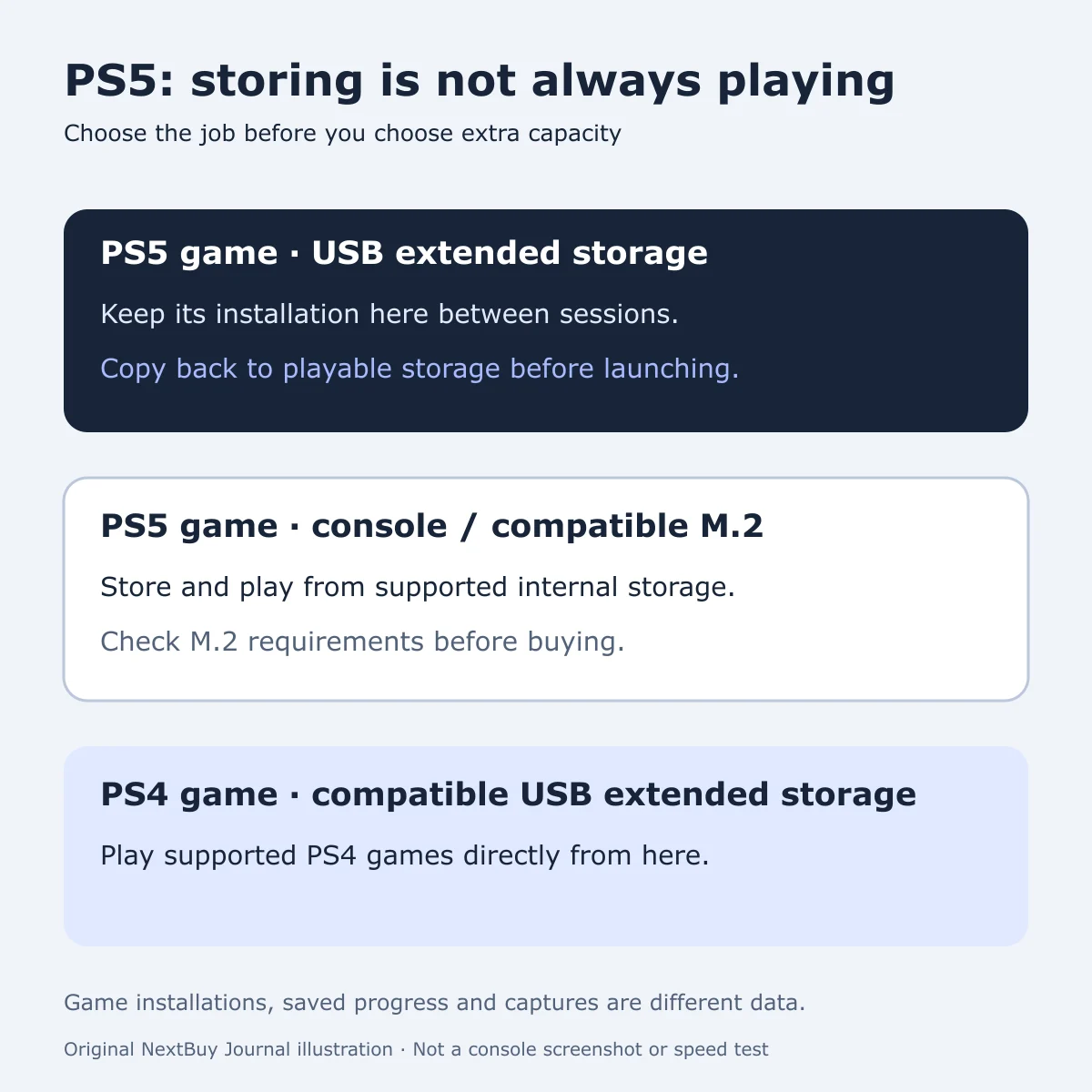
Choose the job before the capacity
A drive advertised for PS5 can be useful without being a place to launch PS5 games. PlayStation’s USB extended-storage instructions distinguish two jobs: PS5 game installations can be kept on compatible USB extended storage, but must be copied back to playable storage before launch. Supported PS4 games can be played directly from USB extended storage.
A compatible M.2 SSD installed in the console is different. PlayStation’s M.2 guide explains the required specifications and supported installation. Do not buy a drive solely because its packaging says SSD: the interface, physical fit and cooling requirements still need to match.
For a Kenyan player managing downloads and a household game library, start with the problem you actually have. Do you want more games ready to launch, or somewhere to keep installations you are not currently using? Those are different reasons to spend money, even when two drives advertise the same capacity.
Make a short active-library list
Write down the games you want ready for your next few sessions. Mark which are PS5 versions and which are PS4 versions. Then separate titles you play regularly from those you are happy to move before the next session. This turns an abstract capacity comparison into a practical plan for your own collection.
| Your goal | What to check |
|---|---|
| Keep a PS5 installation between sessions | Compatible USB extended storage can hold it; allow for copying back before playing. |
| Keep more PS5 games ready to launch | Console storage or a compatible installed M.2 SSD provides playable storage. |
| Play a supported PS4 library | Compatible USB extended storage can be a direct-play location. |
| Compare 825GB with 1TB consoles | Use the exact configuration; both have less usable space than their headline capacity. |
Do not budget around a fixed number of games per terabyte. Use your current installation sizes and account for the titles and updates you intend to keep. This guide reports no measured transfer times, download savings or loading-time results.
Keeping an installation locally may suit a routine where you prefer moving it to downloading it again. Whether that is worthwhile depends on your actual library, connection, time and equipment. It is not a promise about Kenyan broadband prices or speeds.
Game installations are not the same as saved progress
Before moving or removing anything, identify the type of data. PlayStation’s storage-management guide separates game data, saved data and captures. Its storage-location table is more useful than assuming every USB destination is interchangeable.
The same guide explains that PlayStation Plus cloud storage requires a subscription. A USB extended-storage drive holding a PS5 installation is not, by itself, a cloud save or a complete backup of the console. Check the appropriate official saved-data instructions for the progress you want to protect.
Use the console’s storage screen to inspect what occupies space before buying more. If a game offers optional components, understand what each contains before removing anything. Formatting a drive erases its existing contents; check the drive and preserve needed files before following the official setup procedure.
Check the exact console configuration
The live PS5 Slim catalogue separates Gaming Console Storage, edition, package and backward compatibility. Its 825GB and 1TB options are actual different configurations. Capacity does not tell you whether a disc drive or a second controller is included.
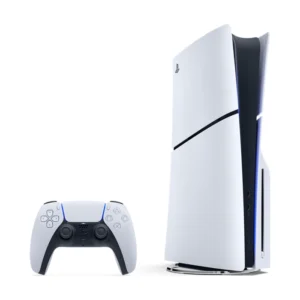
PlayStation 5 Slim
Price range: KShs 90,000 through KShs 115,500
In stock
PS5 Slim: choose the edition, SSD capacity and controller or game package independently. The model offer covers multiple configurations.
View product & options →Inspect the reviewed 1TB Disc Edition with one controller. Its completed description identifies the installed storage and included controller. Confirm the selected configuration’s live price and stock on the product page.
Our PS5 Slim Disc versus Digital guide covers game ownership and package choices. This storage explanation adds the distinction between keeping an installation and launching it; it is not another ranking of console bundles.
Questions players ask
Can a USB SSD launch PS5 games directly?
Not as USB extended storage. PS5 installations must be moved to console storage or compatible installed M.2 storage to play. The fact that an external drive is an SSD does not change that rule.
Can supported PS4 games play from USB extended storage?
Yes. PlayStation distinguishes this from the storage-only role USB extended storage has for PS5 game installations.
Does a larger drive protect my saved progress?
Capacity and backup are separate questions. Identify the saved-data type and use the relevant official storage or backup instructions.
Official setup references and credits
- USB extended storage: requirements, moving games and safe removal
- M.2 SSD requirements and model-specific installation instructions
- Storage locations, game data and saved-data management
Diagram: original NextBuy Journal artwork, created for this guide; no manufacturer screenshot or performance test reproduced. Product-card image: genuine existing NextBuy PS5 media. No verified official USB-workflow video was identified in the focused search; the current official illustrated instructions above provide the setup reference.