
HDMI eARC on TVs in Kenya: Check the Soundbar Connection Before Buying
An HDMI socket is not automatically an audio-return socket. Match the labels on both devices, plan the sound path and check the settings before spending money on a new TV or soundbar.
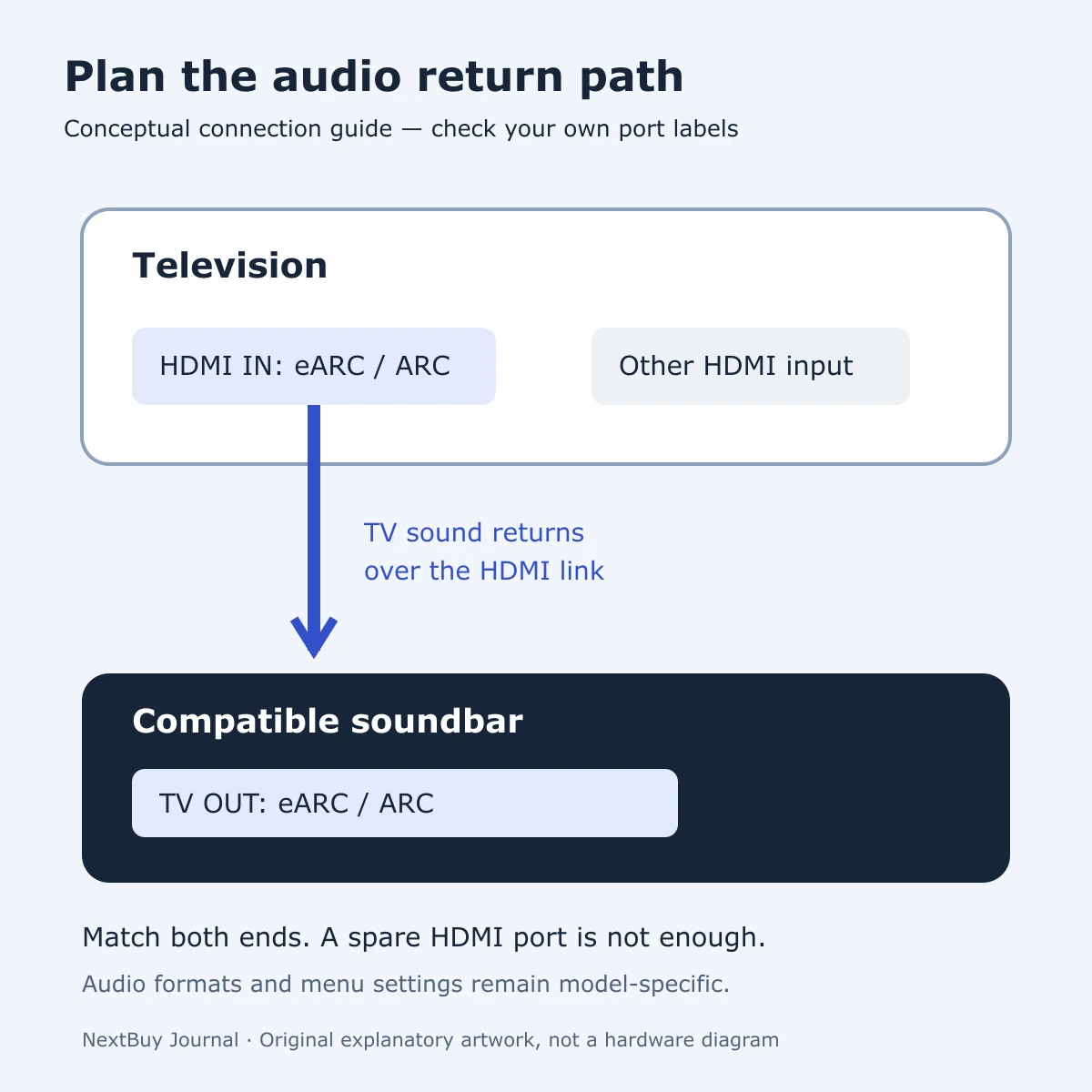
Start with the sound path, not the HDMI count
Picture your normal evening: a streaming app runs on the television, while you want its sound through a separate soundbar. Audio must get from the TV to that soundbar. ARC means Audio Return Channel; eARC is the enhanced version. The relevant connector is the one marked for that function, rather than whichever HDMI socket happens to be free.
This is useful when replacing just one part of a Kenyan home-entertainment setup. Bring the exact model number of the equipment you are keeping. A television’s advertised eARC support is only one side of the connection; it does not establish what an older soundbar can receive.
Keep app availability separate from audio cabling. Our Google TV versus VIDAA streaming checklist explains the account, regional app and subscription questions. Installing an app and getting its sound to external equipment are different checks.
Check the labels on both ends
Sony’s connection instructions direct the HDMI link from the TV’s eARC/ARC input to the soundbar’s TV OUT eARC/ARC connection. Connector wording and position vary by model. Read the printed labels and the manuals; do not assume that a socket numbered like the one in an online demonstration has the same role.
After connecting, select the external audio system in the TV’s audio settings and the appropriate TV input on the soundbar. Follow the device-specific menu instructions. If both devices support eARC, check the relevant eARC settings as well; Sony’s multi-device connection guide describes the setup and alternative sound paths.
That same guide distinguishes connecting a player to the television from connecting it directly to a soundbar with a suitable HDMI input. Do not assume those routes support identical formats. Check the player, television, soundbar and cable requirements for the content you intend to use. The presence of eARC alone is not a promise that every soundtrack or app will deliver a particular format.
Write a short connection worksheet before you buy
| Write down | Why it helps |
|---|---|
| TV model and labelled return port | Prevents choosing an ordinary HDMI input for the soundbar link. |
| Soundbar model and TV OUT label | Separates an audio-return connection from its other inputs. |
| Where content starts | A built-in TV app and an external player may follow different routes. |
| Required audio format | Gives you a specific compatibility question for both manuals. |
| Other connected devices | Helps plan remaining TV inputs before buying extra cables or changing the layout. |
If sound is missing, record what is connected and which input is selected before replacing equipment. Photographing your own connector labels can make a support conversation clearer. Change one item at a time so that you know which setting or connection affected the result.
An optical connection may be an alternative when the devices provide it, but it is not identical to HDMI control. Sony notes that optical-only use does not provide HDMI-dependent power linking and TV-remote volume control. Check whether those conveniences matter to you before choosing a connection solely because its cable is available.
A real TV example: check eARC as its own attribute
The Sony BRAVIA 3 S30 catalogue record lists TV eARC Support: HDMI eARC separately from TV HDMI Version. That is the useful reading habit: look for the saved eARC attribute rather than inferring audio-return support from a version number or total port count.
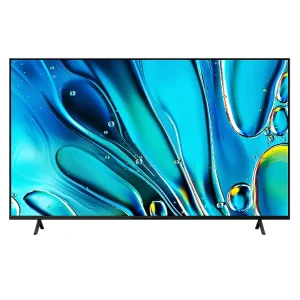
Sony BRAVIA 3 S30 4K LED Smart TV
KShs 219,500
In stock
BRAVIA 3 S30: the live catalogue lists HDMI eARC support. Check the exact regional model and your existing soundbar before choosing a size.
View product & options →Inspect the reviewed 75-inch configuration. Its live offer and completed description cover the selected television; a soundbar is a separate purchase. Other sizes may have different offers, so confirm the selected options on the product page.
This example is not a recommendation to replace a working TV. If your present equipment already has a compatible connection and meets your needs, use the worksheet to investigate setup first. No NextBuy listening test or sound-quality comparison is claimed here.
Watch the manufacturer’s connection demonstration
Sony Soundbar Connection Basics: ARC, eARC and Bluetooth — Sony India
Use the official demonstration to recognise the connection workflow. Match it to your own model’s labels and manual rather than treating the illustrated equipment as a guarantee for every television.
Questions readers ask
Can I use any spare HDMI socket for TV sound return?
Use the TV port labelled for ARC or eARC and the matching soundbar connection. A spare socket without the required function is not equivalent.
Does an eARC TV guarantee a particular audio format?
No. Check the source content and the supported formats and settings across the whole route, including the soundbar.
Should I buy a new TV if the soundbar is silent?
First check labels, cable routing, selected input and audio-output settings against both manuals. A new purchase is not a substitute for identifying the failed connection.
References and credits
Primary references: Sony TV-to-soundbar connection instructions and Sony’s guide to adding an external player. Diagram: original NextBuy Journal artwork created for this explanation, with no copied manufacturer image or screenshot. Product-card image: existing genuine NextBuy BRAVIA media. Video: Sony India’s original YouTube publication, linked and embedded without downloading or claiming authorship.