
PS5 120Hz vs 120fps in Kenya: Check the Game, Screen and HDMI Connection
A 120Hz display does not make every game run at 120fps. Check the supported game mode and complete video connection before replacing your screen.
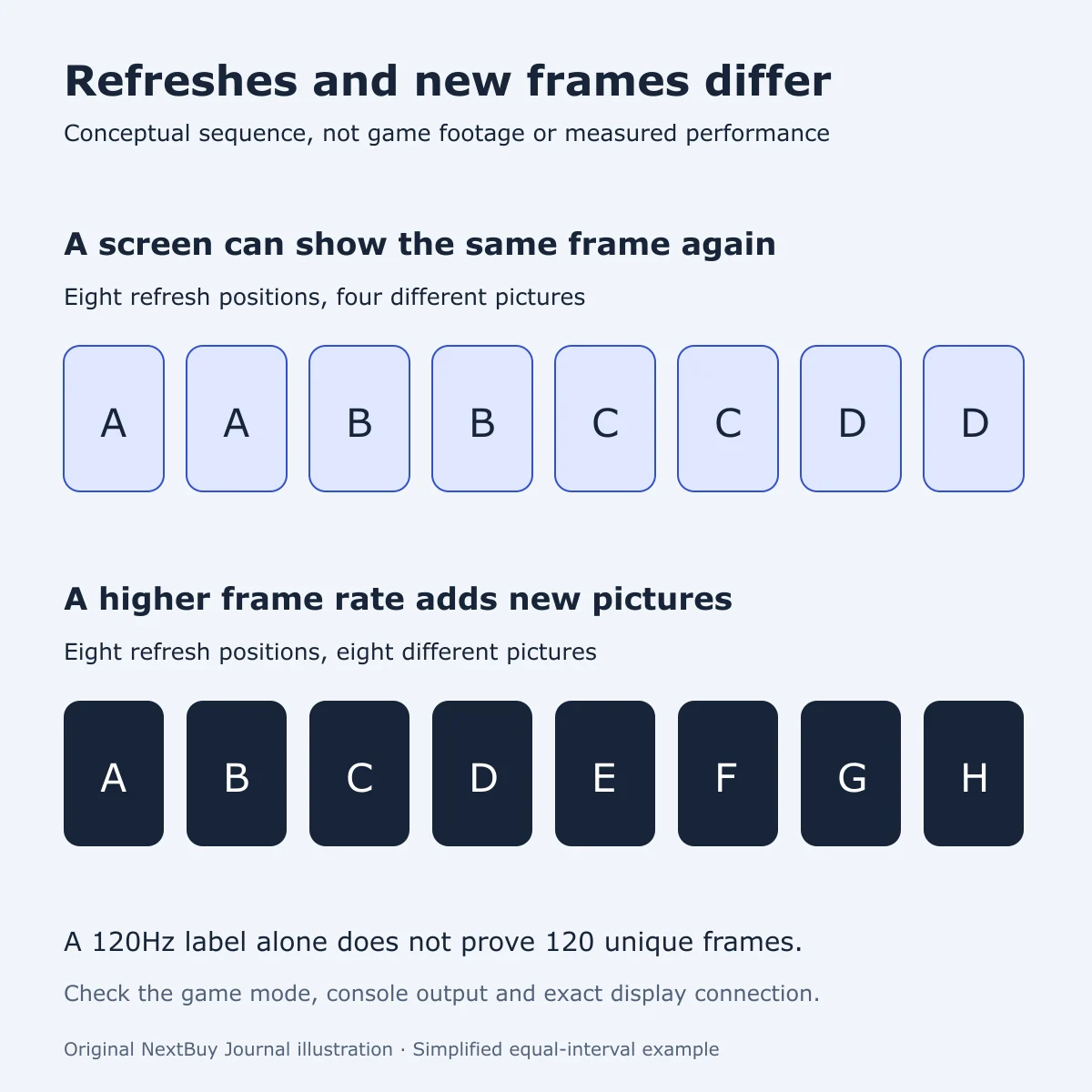
Three different questions hide inside one number
The display refresh rate describes how often a screen can refresh. A game’s frame rate describes rendered frames. The console’s output mode is another part of the connection. A high number on one box does not prove that every stage operates at that setting.
PlayStation’s support page explains how to inspect the current output signal and connected HDMI device under Settings → Screen and Video → Video Output. Use the actual detected mode as a check, rather than treating a monitor’s maximum PC refresh rate as proof of the PS5 result.
Start with the games you play
Identify a game and the supported mode you intend to use. Where the game offers different visual or performance settings, read what each changes. Do not assume that the most detailed graphics mode and the highest frame-rate mode operate together.
For a Kenyan buyer choosing a desk monitor, ask for the exact resolution and refresh combination over HDMI. A broad 144Hz or 180Hz label may describe a different input or a computer connection. Get the model-specific supported signal table before paying for a promised console experience.
Trace the whole connection
Sony’s troubleshooting checklist for 4K 120Hz includes the TV’s capability, firmware, appropriate HDMI input, cable and any intermediate receiver. Check those stages before concluding that the console or screen is faulty. A direct connection is a useful supported troubleshooting comparison when intermediate equipment is involved.
Keep the console purchase separate from this display decision. Disc or Digital describes how you obtain games, not a blanket performance upgrade. Our PS5 Slim Disc versus Digital guide covers that library decision. This guide adds the signal-path checks and makes no game benchmark claim.
Use the console’s listed maximum as a starting point
The completed PS5 Slim catalogue lists Gaming Console Max Frame Rate: 120 FPS. That is a maximum capability, not a test result for your favourite title. Its separate edition, package and storage attributes answer different purchase questions.
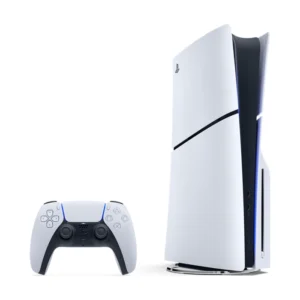
PlayStation 5 Slim
Price range: KShs 90,000 through KShs 115,500
In stock
PS5 Slim: up to 120fps capability in supported games. The actual game mode, display and connection determine the experience; this is not a benchmark guarantee.
View product & options →Inspect the reviewed 1TB Disc Edition with one controller. The product page shows the current selected offer. A different controller bundle or storage capacity does not, by itself, establish a higher frame rate.
| Write down | What you need to establish |
|---|---|
| Game and console version | The developer supports the intended performance mode for that version. |
| Screen model and input | The actual HDMI input accepts the desired resolution at 120Hz. |
| Cable and intermediaries | Every device in the route supports the chosen signal. |
| Detected output | The console reports the expected connection mode. |
BenQ’s PS5 monitor primer also separates monitor capability from supported game presets. A monitor being advertised above 120Hz is not a promise that a console will use its highest PC mode. Ask about the console connection you will actually use.
Keep an example of the mode you want to play, not simply a list of impressive specifications. If a demonstration is available, inspect the selected game setting and detected output. This article offers no measured frame-rate result and does not recommend an unverified monitor.
If you are also deciding how many games to keep ready, our PS5 store-versus-play storage guide handles that separate workflow. Extra drive capacity is not evidence of a higher game frame rate.
Questions players ask
Does a 120Hz screen guarantee 120fps in every game?
No. The game version and chosen mode must support the intended frame rate, alongside the display and signal path.
Does Disc Edition automatically run games faster?
A disc drive determines access to compatible physical media; it is not, by itself, evidence of a different frame-rate result.
Should I replace a screen before checking settings?
First check the exact supported input mode, game settings and detected output. A maximum refresh-rate label alone does not diagnose a problem.
Primary references and credits
PlayStation video-output settings and 4K 120Hz troubleshooting; BenQ’s console-monitor explanation. Follow the settings relevant to your exact console; Pro-only features in the general support page do not apply automatically to Slim.
Diagram: original NextBuy Journal conceptual sequence, not a screenshot or benchmark. Product image: existing genuine PS5 Slim catalogue media. No suitable official video for this specific diagnostic question was verified; the current illustrated primary instructions are linked instead.