
MacBook Pro 2026 in Kenya: M6 or PROLED XDR?
Two new directions. One practical choice. Compare the compact M6 model with the touchscreen PROLED XDR family, then follow the guide that fits your work.
Live prices in this article · Select your exact configuration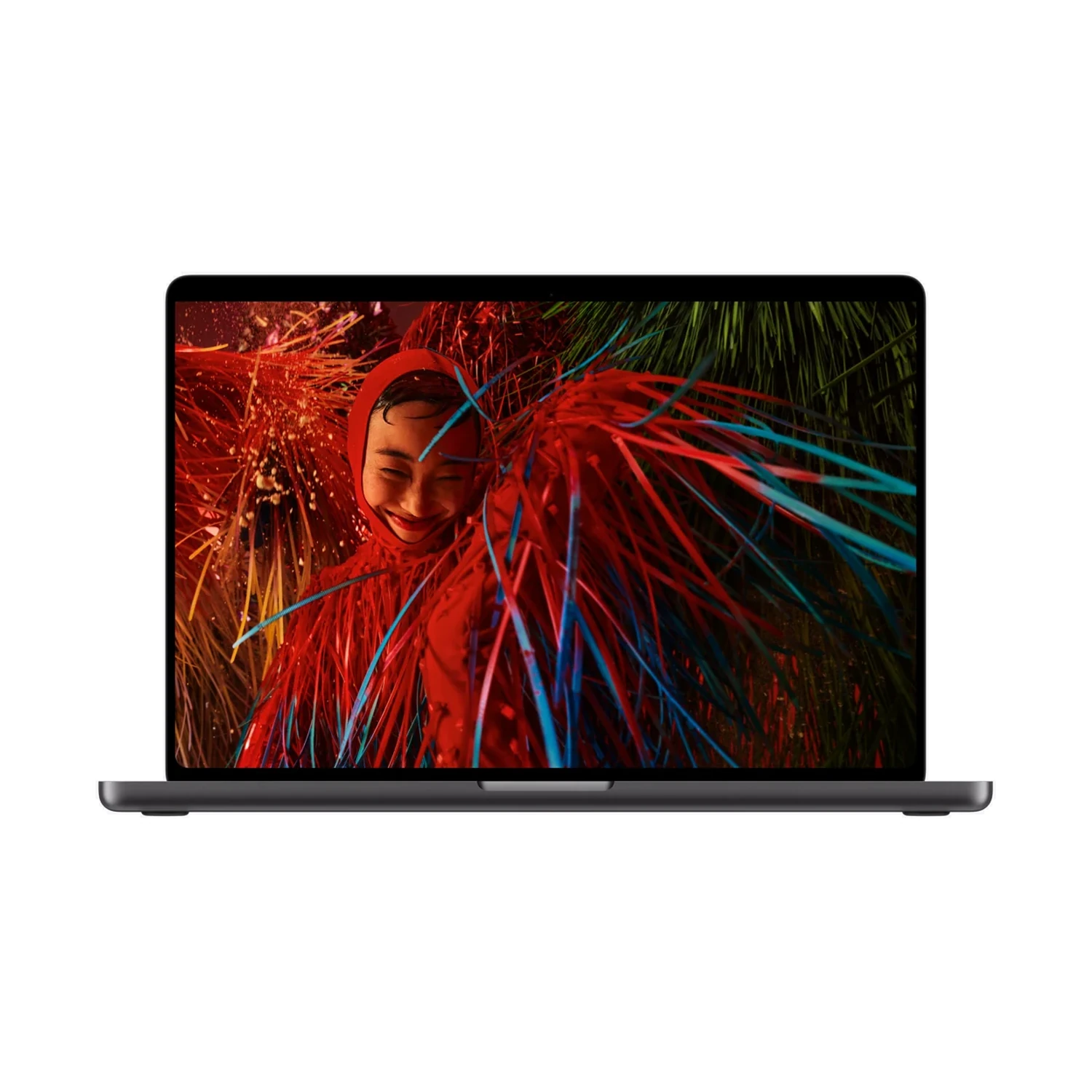
Which new MacBook Pro should you choose?

Different screen, different decision. The M6 model keeps the non-touch Liquid Retina XDR display. Read our dedicated M6 guide or explore what the touchscreen models change.
Start with the job you need the laptop to do. For a buyer whose week is mostly documents, spreadsheets, browsing, meetings, coding and occasional creative work, the Apple MacBook Pro 14-inch (M6) is the first new model to investigate. Its appeal is the overall balance of a compact laptop, a capable chip and a high-quality display.
If editing, design or other display-intensive work is central to your income, put the new PROLED XDR models on your shortlist. Their touch-enabled OLED screen is the clearest reason to consider this separate range. Then choose between M5 Pro and M5 Max according to your actual workload, rather than the highest number in the name.
The naming trap: M6 is a chip generation. M5 Pro and M5 Max are higher-tier chips from a different generation. PROLED XDR describes the display family. A model name alone cannot tell you which machine will finish your particular project faster.
This is a specification-based buying guide, not a hands-on review or a claim that we have benchmarked the new machines. Our recommendations below are buying priorities to help you narrow the choice.
New MacBook Pro prices in Kenya
These prices and stock labels come directly from the linked NextBuy products. They refresh when the page opens and while it remains active. A range covers the product’s priced configurations; open the listing to choose the exact RAM/SSD bundle, colour and display finish.
| Model | Displayed price in KES | NextBuy availability |
|---|---|---|
| MacBook Pro 14-inch (M6) | Price range: KShs 322,000 through KShs 438,000 | Out of stock |
| MacBook Pro 16-inch (M5 Max) — PROLED XDR | Price range: KShs 636,500 through KShs 779,500 | Out of stock |
| MacBook Pro 14-inch (M5 Max) — PROLED XDR | Price range: KShs 610,500 through KShs 712,500 | Out of stock |
| MacBook Pro 16-inch (M5 Pro) — PROLED XDR | Price range: KShs 475,000 through KShs 598,000 | Out of stock |
| MacBook Pro 14-inch (M5 Pro) — PROLED XDR | Price range: KShs 392,500 through KShs 520,500 | Out of stock |
A displayed price does not by itself confirm stock. The live availability label and selected product configuration matter; confirm fulfilment before planning around a delivery date.
When do the new models go on sale?
Apple announced the M6 model on 27 October and the PROLED XDR range on 28 October 2026. Apple lists 6 November 2026 as the start of availability in selected markets. That date is not a promise that Kenyan stock will arrive the same day. Use the live stock labels above. If your preferred configuration is unavailable, its product page provides the relevant notification or enquiry option.
Official announcements: Apple M6 launch and Apple PROLED XDR launch.
M6 vs PROLED XDR: what actually changes?
The screen is the most visible difference. Apple’s M6 model uses a Liquid Retina XDR mini-LED display without touch. PROLED XDR uses a tandem OLED display with Multi-Touch and Dynamic Island. Neither name describes an optional wallpaper or a simple colour finish.
| Feature | 14-inch M6 | PROLED XDR family |
|---|---|---|
| Screen sizes | 14-inch model | 14-inch and 16-inch models |
| Display technology | Liquid Retina XDR, mini-LED | PROLED XDR, tandem OLED |
| Touchscreen | No | Yes, Multi-Touch |
| Processor family | M6; 12-core CPU / 12-core GPU | M5 Pro or M5 Max; chip configuration varies by model |
| Thunderbolt | Three Thunderbolt 4 ports | Three Thunderbolt 5 ports |
| External display support | Up to two | Up to three with M5 Pro; up to four with M5 Max |
Apple specifies up to 1,600 nits peak HDR brightness for the M6 display. For PROLED XDR, the specification distinguishes 1,000 nits sustained full-screen brightness from 2,000 nits peak HDR and peak outdoor SDR. Those are different measurements: do not assume every scene runs at peak brightness continuously.
Technical references: Liquid Retina XDR MacBook Pro and PROLED XDR specifications.
For a Kenyan buyer, the practical question is whether these differences solve a regular problem. If you edit at a desk with an external screen, consider the entire setup. If the laptop display is where you review every image or video, the screen itself deserves a larger share of your budget.
14-inch or 16-inch, M5 Pro or M5 Max?
Choose 14-inch for mobility
Start here if you move between home, campus, meetings and shared workspaces. Check the machine in the context of your daily bag, charger and accessories. A smaller laptop can still make sense at a permanent desk when paired with an appropriate external monitor.
Choose 16-inch for workspace
The larger screen deserves consideration when timelines, side-by-side documents or visual detail are central to your day. Before paying more, ask whether you need that space while travelling or mainly at a desk where a separate monitor could help.
When is M5 Pro the sensible starting point?
For a creative professional comparing the PROLED range, M5 Pro is a useful first shortlist. List your applications, your usual project sizes and where the current laptop slows you down. If the problem is insufficient memory or slow access to project files, buying the highest GPU tier without checking those limits may miss the point.
Compare the 14-inch M5 Pro PROLED XDR with the 16-inch M5 Pro PROLED XDR before moving to Max.
When should you consider M5 Max?
Investigate Max if your work repeatedly pushes GPU resources, your production pipeline benefits from its capabilities, or your display setup needs the additional support Apple specifies. A professional colourist, 3D artist and software developer may have very different priorities even when their budgets are identical.
The 16-inch M5 Max PROLED XDR and 14-inch M5 Max PROLED XDR are separate choices. Do not infer that Max is necessary merely because you use a professional application. Look for tests using your application, settings and project type before treating an upgrade as a productivity investment.
Choose the right RAM, SSD and display finish
Configuration labels should be specific: for example, 16GB RAM + 1TB SSD. Check that the processor, memory and storage belong to the same exact offer. A high memory figure in an online customiser does not establish that a matching standard retail configuration is available locally.
- Memory: think about the applications you keep open together, project complexity and the useful life you expect from the laptop. For demanding work, use application-specific guidance rather than a blanket recommendation that everybody needs the same capacity.
- Storage: estimate the space needed for applications, current projects and working files. Leave room for growth. An external drive can be part of a workflow, but include its cost, connection and backup plan when comparing configurations.
- Standard retail bundles: compare the actual combinations shown on the product page. We do not treat every possible custom RAM/storage combination as an available standard model.
Standard glass or Nano-texture glass?
Display finish describes the screen surface, not the chip. Apple offers a Nano-texture option alongside the standard display finish on these ranges. Think about where you work: a desk facing bright windows, a controlled editing room and a frequently changing workspace present different viewing conditions.
If reflections are a persistent problem, investigate the finish before choosing a larger SSD just because it is an easy upgrade to understand. Equally, do not pay for a finish without considering the lighting you can control. Follow Apple’s care instructions for the exact screen you buy.
For these MacBooks, the finish selector is separate from the RAM/SSD configuration. Confirm both in the chosen offer, alongside its colour. Product images show the machine and its colour; they should not be treated as proof of a particular glass finish.
Check the whole work setup
It is easy to compare only the laptop price and discover the missing parts later. Write down the screens, storage, card readers and other devices you already use. Both new families include HDMI, an SDXC card slot, MagSafe charging and a headphone connection, while their Thunderbolt generations differ.
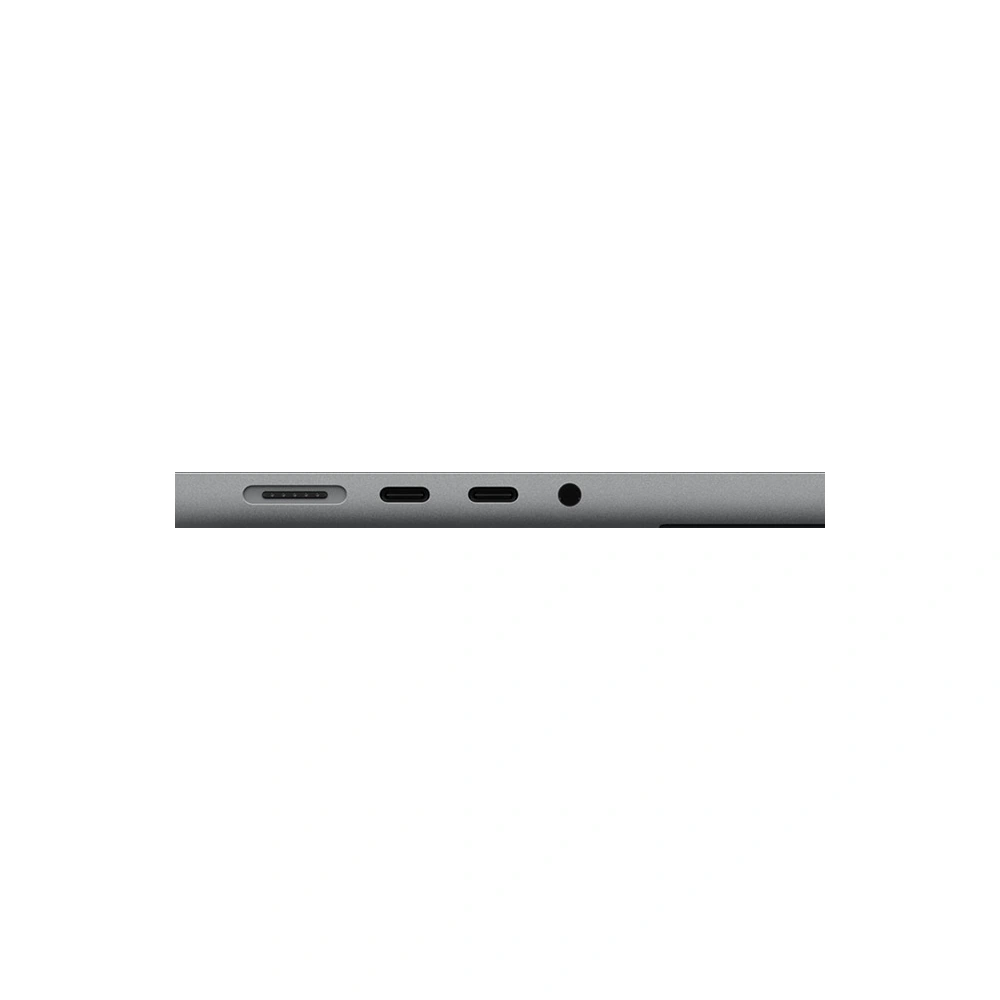
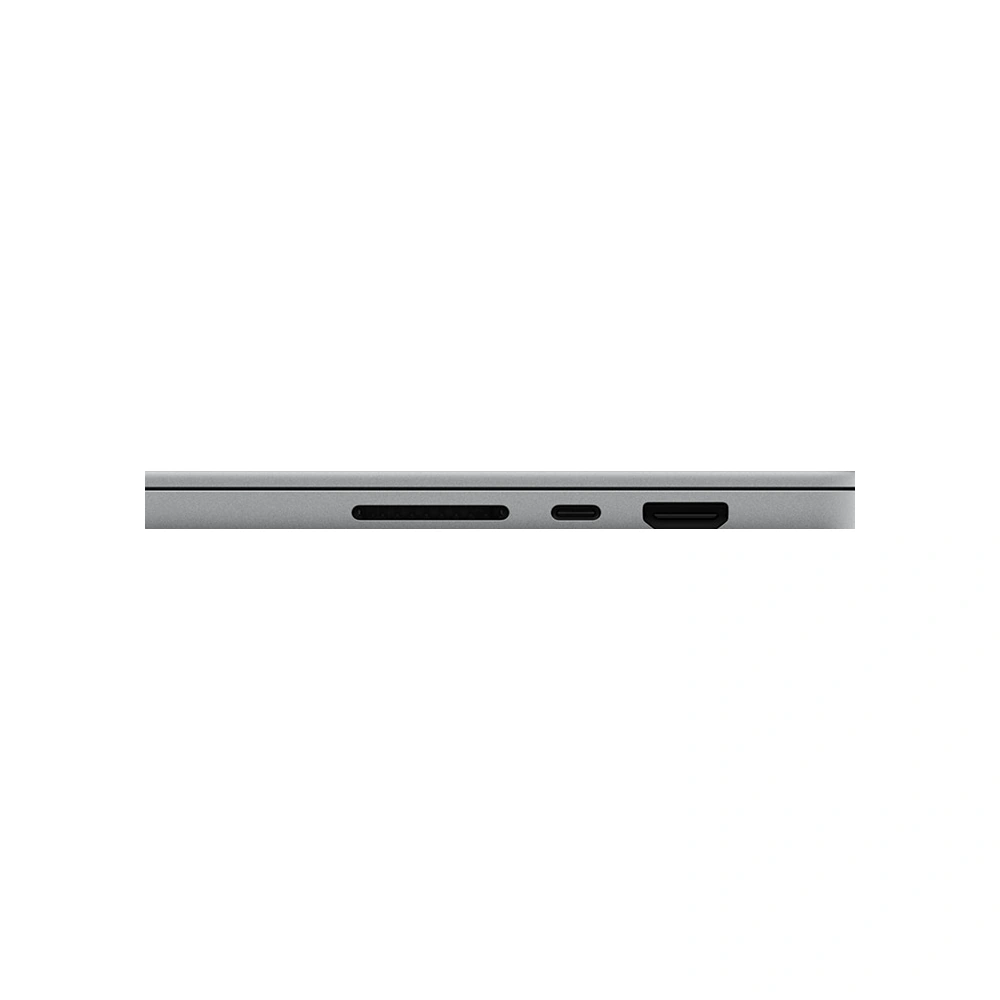
A USB-C-shaped connector does not by itself establish that a cable or dock will meet your required display, charging or transfer specification. Match the accessory to the job and to the manufacturer’s stated compatibility. Multi-monitor buyers should also check the supported resolutions and refresh rates, not only the maximum number of displays.
Moving from Windows to Mac?
Check the exact applications, plug-ins and peripherals you depend on before changing platforms. An organisation’s specialist software may matter more than a general performance claim. Ask your IT team about device management and access requirements. For creative work, confirm the versions of your editing tools and any paid plug-ins you cannot replace easily.
Students and small businesses should include software subscriptions, storage, adapters and backup in the total budget. Keeping important files backed up is part of owning the laptop; a larger internal SSD is not a substitute for a second copy.
A practical buying checklist for Kenya
- Confirm the complete model name. Include screen size, M6 or M5 Pro/Max, and whether it is the PROLED XDR or Liquid Retina XDR family.
- Check the selected configuration. Record the chip configuration, RAM/SSD bundle, colour and display finish. Compare like for like when asking different sellers for quotations.
- Separate a catalogue price from ready stock. An out-of-stock listing can show a useful reference price, but availability and delivery must be confirmed before you plan around it.
- Ask about the supplied unit. Confirm keyboard layout, charger, package contents and the condition stated on the offer. Do not assume that every imported unit is identical in these details.
- Read the written policies. Review NextBuy’s warranty policy, returns policy and delivery information for the terms that apply to your order.
- Keep a current quotation. Confirm the final amount and expected fulfilment with the seller, particularly for a configuration that has not yet arrived locally.
Need a laptop sooner? Compare an available alternative against your work and deadline. The MacBook Pro 14-inch (M5 Pro) with Liquid Retina XDR is another model to compare. Check the listing’s current stock and chosen configuration rather than assuming an older model is ready for delivery.
A new launch can be exciting without being the right purchase for every buyer. If your current machine already handles your work comfortably, wait for relevant independent testing and local supply information. If you have a clear bottleneck, use that problem to decide which new model is worth evaluating.
Frequently asked questions
How much is the new MacBook Pro in Kenya?
See the live price table earlier in this guide. Its figures come from the current NextBuy products rather than a fixed publication-day quotation. The exact configuration may change the price; check its stock label before ordering.
Does every new MacBook Pro have a touchscreen?
No. The PROLED XDR family has Multi-Touch. The new 14-inch M6 model uses a Liquid Retina XDR display without touch. Check the full display-family name rather than relying on “2026” in a listing.
Is there a 16-inch MacBook Pro with the base M6 chip?
Apple’s M6 announcement covers the 14-inch model. The new PROLED XDR range offers 14-inch and 16-inch sizes with M5 Pro or M5 Max. Those are different products.
Is M6 automatically faster than M5 Max?
No single name establishes that for every task. Generation, chip tier, GPU resources, memory and software all matter. Use benchmarks that reflect your actual workload; this guide does not claim a hands-on performance result.
Will these models be available in Kenya on 6 November?
Apple lists 6 November 2026 for availability in selected markets. That does not confirm Kenyan delivery or NextBuy stock on that date. Use the relevant product’s notification option and confirm supply before committing to a deadline.
Is Nano-texture glass a different RAM or processor configuration?
No. It is a display finish. Check the screen finish separately from the chip, RAM/SSD bundle and colour when comparing offers.
Can I choose any RAM and SSD combination?
Do not assume that every option shown in Apple’s customiser is a standard retail bundle at NextBuy. Choose from the genuine configurations listed for the exact model. An unavailable configuration can carry a reference price while remaining out of stock.
Choose the MacBook for your work
Compare the 14-inch M6 with the PROLED XDR models above. If you need help narrowing the choice, share your applications, budget and delivery deadline with NextBuy.
Ask NextBuy about your configuration →Sources & editorial notes
Technical details were checked against Apple’s official pages. Prices and availability are supplied dynamically by the linked NextBuy products; technical details were reviewed on 29 October 2026. Buying recommendations are NextBuy’s editorial guidance. Product photography: Apple, from NextBuy’s existing media library.
- Apple: introduction of the 14-inch MacBook Pro with M6
- Apple: introduction of MacBook Pro with PROLED XDR
- Apple: MacBook Pro with Liquid Retina XDR
- Apple: PROLED XDR technical specifications
Launch information and catalogue prices can change. The current product page and a confirmed order quotation take precedence over this dated guide.