
Mac mini M4 Ethernet in Kenya: Gigabit or 10Gb for Your Network?
A faster Ethernet port helps when the whole connection can use it. Separate local file transfers from your internet subscription, then check the exact Mac configuration and the equipment between it and the destination.

Ethernet is a configuration choice, not a chip-name guarantee
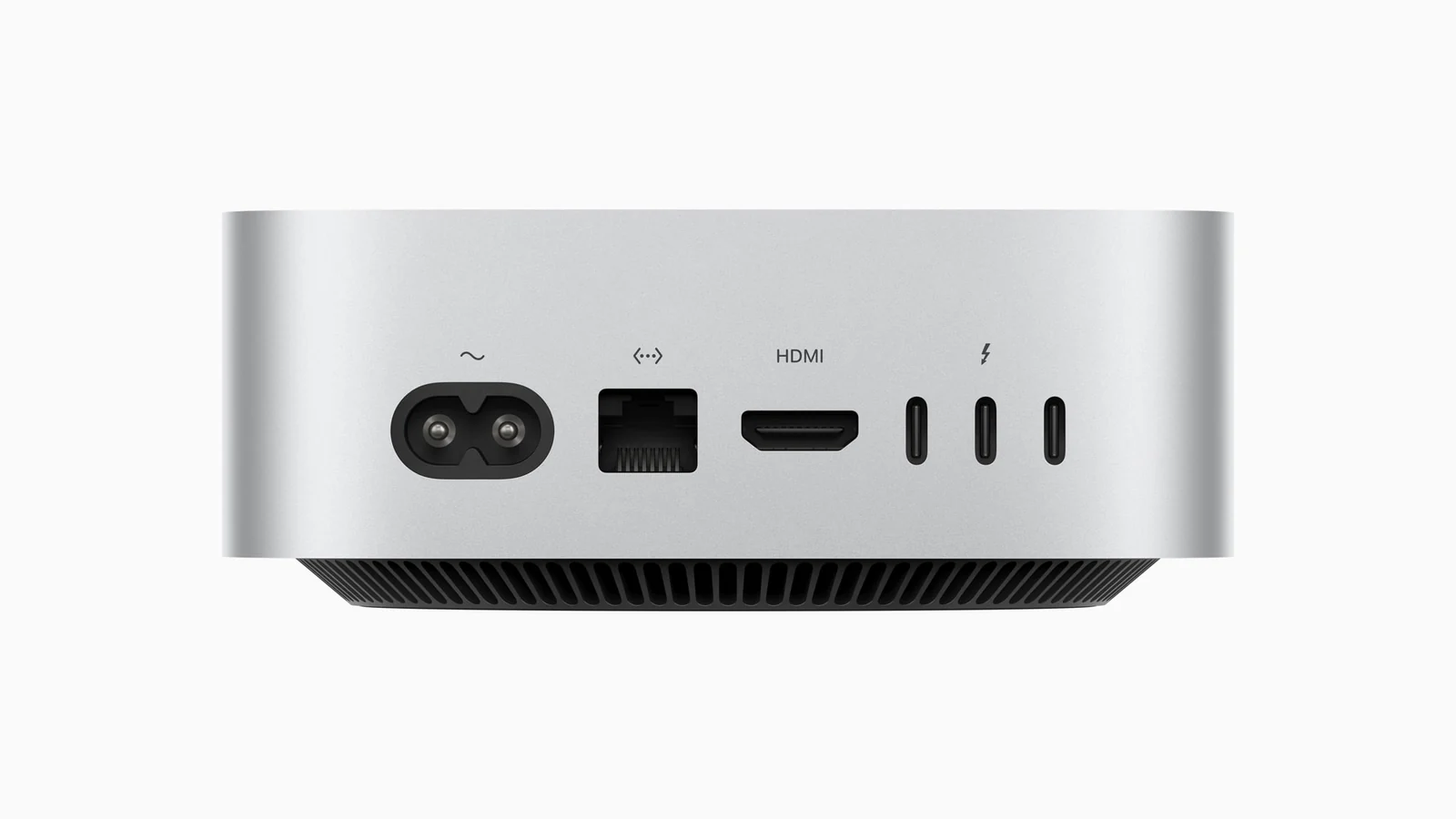
Apple’s 2024 Mac mini specifications list Gigabit Ethernet with a configurable 10Gb option for both M4 and M4 Pro. Moving to M4 Pro does not, by itself, prove the supplied computer has the faster Ethernet port. This guide concerns the M4 family, rather than assuming every later Mac mini has identical networking.
The current M4 catalogue offers Gigabit Ethernet and 10 Gigabit Ethernet alongside memory and storage choices. Put all three on a quotation. A parent page containing both Ethernet values does not mean both are selectable settings on a single supplied unit.
Start with the file or service that needs to move
For a Kenyan home office, studio or small business, two tasks can look like the same “slow network” problem while using different paths. Downloading from an online service uses the internet connection. Copying a project to storage on your own local network may never need to leave that network.
A port upgrade does not change the internet package you buy, the remote service’s capacity or the speed of every server you contact. If browsing or a cloud download is the concern, identify that connection before budgeting for a faster computer port.
For local work, write down the start and destination of a representative transfer. Include the switch or router ports in between, any adapters, the cabling and the destination computer or storage system. The useful question is whether that complete route can support the intended task, not which single device has the largest number on its label.
A 10Gb port can connect at a lower common rate
Apple describes the optional port as supporting 1Gb, 2.5Gb, 5Gb and 10Gb Ethernet. Its 10 Gigabit Ethernet guidance explains that the negotiated link depends on the connected device and suitable cabling, including cable type and length.
Consequently, connecting the Mac to a lower-speed network port does not turn that other port into a 10Gb connection. Check the exact ports used, not only a switch’s product-family name or the presence of an RJ-45 socket. A switch can have different capabilities across its ports.
The negotiated link rate and the completed file-copy speed are also different observations. Reading and writing the files, other active work and the transfer method can affect the result. This article provides a planning method, not a measured transfer rate or a promise of tenfold performance.
Compare the same memory and storage with the Ethernet option changed
Apple Mac mini with M4
Price range: KShs 108,000 through KShs 172,500
In stock
Select Ethernet as well as memory and storage. The family card covers several configurations; check the exact option for its live offer and availability.
View product & options →The 16GB/256GB Gigabit configuration and 16GB/256GB 10 Gigabit configuration illustrate a like-for-like port decision. Their descriptions identify the supplied Ethernet option. Current offers and availability belong to those exact pages, rather than a fixed price comparison in this guide.
If an intended option is unavailable, do not substitute a different port without revisiting the network plan. Likewise, paying for more internal storage does not change the capacity of an external switch or storage server. Our M4 versus M4 Pro configuration guide covers the wider desktop choice.
Budget for the complete connection
| Check | Question to answer |
|---|---|
| Actual task | Is the delay in a local file transfer, an internet service or something else? |
| Computer option | Which Ethernet port is on the exact quoted Mac? |
| Connection path | Do the intermediate ports, adapters and cables support the intended link? |
| Destination | Can the other device and its storage keep up with the workflow? |
| Validation | Can the installer show the negotiated link and a representative completed transfer? |
Ask an IT provider to assess what would need changing before buying around a future network upgrade. If the existing Gigabit setup already meets your task, a faster port may be a provision for a later system rather than an immediate improvement. Keep that distinction clear when comparing the cost of the whole setup.
Quick answers about the upgrade
Will 10Gb Ethernet make my internet subscription ten times faster?
No. The port does not upgrade the internet plan or the capacity of the service you contact.
Does M4 Pro automatically mean 10Gb Ethernet?
No. Apple lists it as a configurable option on the 2024 M4 family. Check the supplied unit’s exact specification.
Can the optional port work with a lower-speed connection?
It supports multiple link rates. The connected equipment and cabling determine the negotiated rate; use Apple’s guidance for the installation.
Primary references: Apple’s 2024 specifications and Ethernet connection guidance. Images are genuine existing NextBuy Mac mini library assets, not a NextBuy network test.