
Garmin Music in Kenya: Phone Controls or Phone-Free Listening?
A music button on your wrist does not tell you where the songs are stored. Start with one question: will you keep your phone with you, or leave it behind?
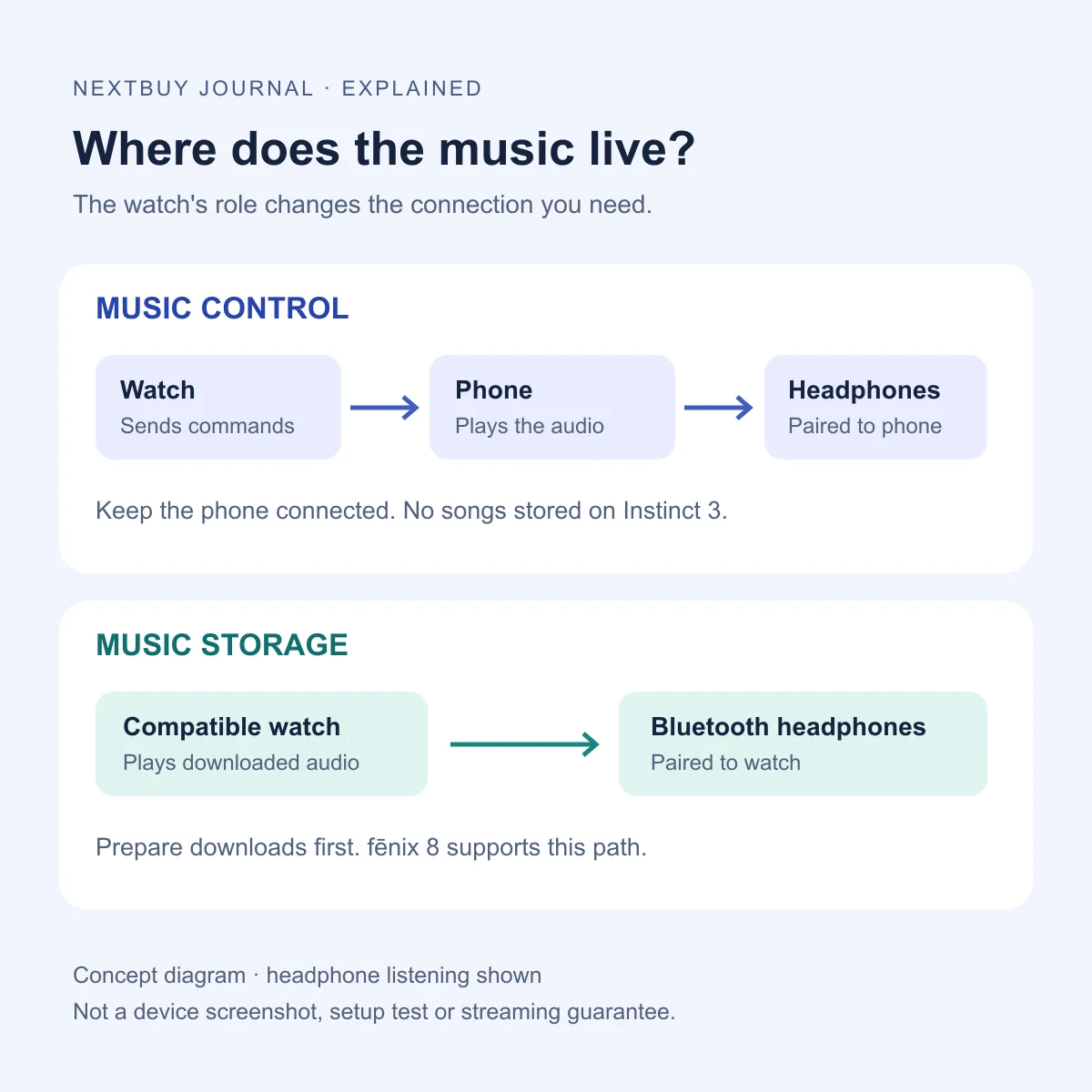
Music Control keeps the phone in the listening chain
If you carry your phone on a Nairobi walk or commute, wrist controls may be all you need. The phone remains the player; the watch sends playback commands. In a headphone setup, your headphones connect to the phone, rather than turning the watch into an independent music source.
That is the distinction behind the Music Control feature on Instinct 3 AMOLED. Garmin’s Instinct 3 controls reference identifies its music control as phone playback control. The reviewed model does not store songs for independent listening. Choosing a different case size or band colour does not add that function.
Bluetooth alone does not settle this question. It can describe the watch’s phone connection while the phone handles the audio. Ask which device holds the content and which device your headphones will pair with.
Music Storage moves the prepared audio onto the watch
For phone-free listening, look for explicit storage and playback support on the exact model. The fēnix 8 AMOLED supports both Music Control and Music Storage: these are two available workflows, not competing names for the same feature.
Garmin’s fēnix 8 music reference distinguishes personal audio, provider content and phone music. Downloaded watch audio can play without a nearby phone, including through compatible Bluetooth headphones. It also documents playback through the watch speaker. This guide’s diagram focuses on headphones.
Storage is therefore useful when leaving the phone behind is part of the plan. It is less compelling if your phone always comes with you and you mainly want to pause or skip a track. Judge the watch’s other benefits separately rather than treating music as a reason to buy the most expensive option.
Downloaded music needs preparation, even when playback is offline
For compatible provider apps, Garmin’s music-loading guide says to confirm the exact watch in the app’s compatible-device list and check the required subscription tier. Installing an app is not the same as downloading a playlist. Provider downloads use Wi-Fi; synced content can then play offline, with periodic account verification still required.
For a Kenyan buyer, check your own account’s country, subscription and available watch app before paying for a watch around one service. A service working on your phone does not establish that its Garmin app supports your model. This guide does not promise every provider or account is available locally.
There is also a personal-file route. Garmin’s personal-audio instructions describe using Garmin Express on a computer to transfer supported files, such as MP3 or M4A, over the watch’s USB connection. A download inside a phone subscription app is not automatically an ordinary transferable audio file.
If you prefer that route, confirm you have suitable files and access to the required computer before choosing the watch. Keep the first transfer and headphone pairing as an at-home setup task, rather than discovering missing downloads when you are ready to leave.
Compare the listening workflow before the offer
Instinct 3 AMOLED: control a connected phone
The reviewed 45mm AMOLED Black/Black configuration is a useful example when your phone stays with you. It does not support onboard song playback. The model has other case sizes and finishes, so keep your fit decision separate from the music feature.
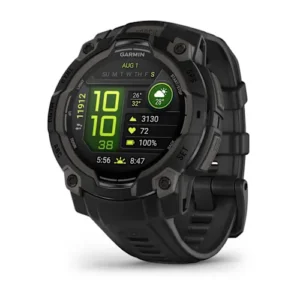
Garmin Instinct 3 AMOLED
Price range: KShs 50,000 through KShs 55,500
In stock
Music Control: the connected phone remains the audio source. Instinct 3 AMOLED does not store songs for independent playback.
View product & options →Inspect the reviewed 45mm AMOLED configuration and select the actual finish before ordering.
fēnix 8 AMOLED: control the phone or play stored audio
The reviewed 51mm standard AMOLED Slate/Black configuration is one example with Music Storage support. For headphone listening from the watch, pair the headphones to the watch and select the downloaded source. This is a different purchase from merely adding wrist controls to your current phone setup.
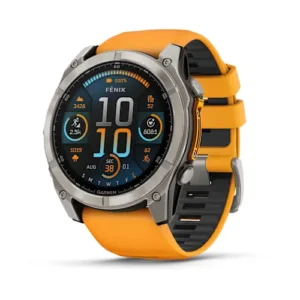
Garmin fēnix 8 AMOLED
Price range: KShs 109,500 through KShs 137,500
In stock
Music Control and Music Storage: prepare supported audio on the watch for independent playback. Check provider, subscription and headphone compatibility separately.
View product & options →Inspect the reviewed 51mm AMOLED configuration. Other sizes, editions and band packages have separate offers; the live model card is not a claim that every option has the same price or availability.
Browse smartwatches with your intended workflow in mind. For the separate question of screen visibility and interaction, read our AMOLED and MIP display guide.
Make the first check match the way you will listen
| Plan | Check before relying on it |
|---|---|
| Phone playback | Start your usual phone player and confirm that wrist controls work with it. |
| Watch playback | Confirm the intended audio is downloaded and choose the watch source, not Control Phone. |
| Headphones | Pair them to the device playing the audio. Check the actual pair you intend to use. |
| An outing without the phone | Rehearse offline playback at home with the phone disconnected. Check charge and downloads before leaving. |
This is a suggested setup checklist, not a NextBuy listening or battery test. Phone-free music also does not establish phone-free calls or messaging; assess those functions separately.
Questions and official setup demonstrations
Can Instinct 3 AMOLED play downloaded songs without a phone?
No. The reviewed model controls phone music; it does not store songs for independent playback.
Does Music Storage mean I can stream anything anywhere?
No. Check the supported source and prepare its downloads. Storage is not a promise of cellular streaming or unrestricted provider access.
Does having a music app installed mean my playlist is ready?
No. Confirm that the content has synced and plays from the intended watch source before disconnecting your phone.
See the manufacturer’s setup steps
Garmin’s official music-loading guide includes video tutorials for supported services, alongside written setup and troubleshooting instructions. Use these after checking model and account eligibility; the videos do not add storage support to Instinct 3.
Illustration: original NextBuy Journal artwork, with the editable source retained. Product photos: genuine existing NextBuy library. Manufacturer tutorials remain on Garmin’s page; no sourced demonstration is presented as a NextBuy test.