
AMOLED or MIP Watch Displays in Kenya: Choose How You Read Your Wrist
A colourful watch face and a sunlight-readable monochrome display solve different viewing preferences. Use your normal day to choose between them—then check the exact watch’s controls and configuration.
What the display labels tell you
AMOLED describes a display technology; it does not automatically mean touchscreen controls, phone calls or full maps. MIP means memory-in-pixel, but the exact watch still determines whether it displays colour and how its screen is arranged. Read the model’s actual specification rather than transferring a feature from another watch with the same screen label.
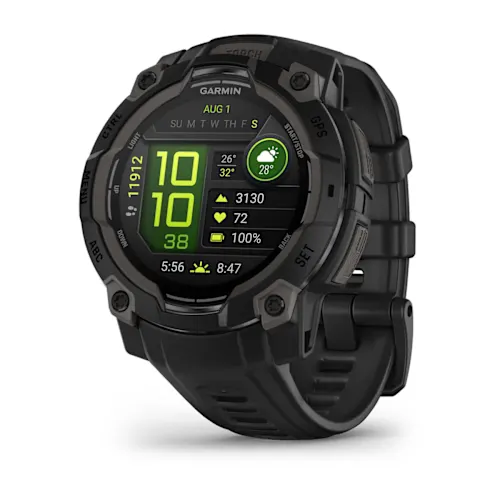
The completed NextBuy Instinct 3 records provide a useful contrast: the AMOLED family has a colour screen, while the Solar family uses a monochrome MIP display. Garmin describes this Solar screen as sunlight-visible and transflective. These are two display approaches within one watch family, not a claim that every MIP watch is monochrome or that one technology wins every situation.
For a Kenyan buyer moving between an office, an evening commute and outdoor exercise, the useful question is how you want to see information in those places. A product photograph viewed on your phone cannot establish which screen you will find easier to read on your wrist.
Do you glance at the face or deliberately raise your wrist?
On Instinct 3 AMOLED, Garmin offers screen brightness, wrist-gesture activation, timeout and an always-on option. Always-on keeps face information visible with a dimmer presentation; it is not simply the full-brightness face frozen indefinitely. Garmin notes that the choice affects battery and display life.
If you mainly raise your wrist to check a notification, compare that gesture workflow with leaving information visible. If you want a quick sideways glance while your hands are occupied, test the face you actually intend to use. The number, size and contrast of its fields matter as well as the technology name.
Keep display care in the decision. Garmin advises avoiding static images at high brightness for long periods on AMOLED and explains its timeout behaviour. Use the manufacturer’s settings guidance rather than assuming the brightest permanent setting is the intended everyday configuration.
Use this viewing checklist before paying for an upgrade
| Your normal task | What to compare |
|---|---|
| Reading exercise fields | Show your usual number of fields; check text size and contrast rather than just a colourful watch face. |
| Looking in different light | Compare indoors and outdoors if a demonstration is available. Avoid inferring measured brightness from promotional photos. |
| Checking the time at a glance | Compare gesture activation with the actual always-on presentation. |
| Using the watch with gloves | Check its controls separately. Both Instinct examples here use physical buttons. |
| Choosing a case | Case diameter and usable screen are different measurements. Compare the exact size you will wear. |
These are suggested checks, not results from a NextBuy trial. Solar charging is another separate attribute: it does not turn a monochrome screen into a colour screen, and its presence is not proof that a particular day’s light will remove the need to charge.
Two completed examples to compare
Both families have populated display attributes and substantive model and selected-configuration descriptions. Choose the full case, display, finish and band combination on the product page; the model card’s offer can cover more than one configuration.
Garmin Instinct 3 AMOLED
Price range: KShs 50,000 through KShs 55,500
In stock
Instinct 3 AMOLED: colour presentation with gesture and always-on screen settings. Physical button controls; the screen label does not imply touch.
View product & options →Inspect the 45mm AMOLED configuration. The reviewed Black case with Black band has a completed configuration description.
Garmin Instinct 3 Solar
Price range: KShs 44,500 through KShs 54,000
In stock
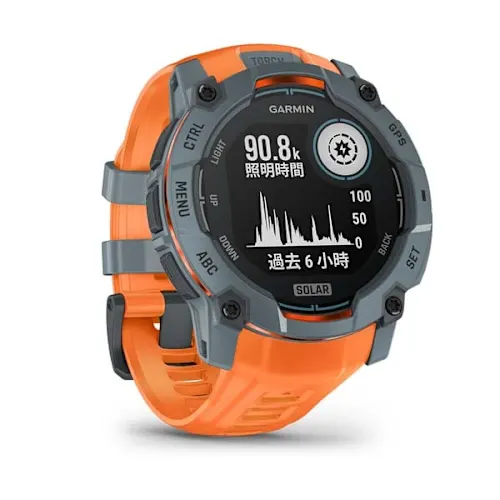
Instinct 3 Solar: a monochrome MIP screen and separate solar-assistance feature. Compare the actual page layout and exact case size.
View product & options →Inspect the 45mm MIP configuration. The reviewed Black/Black configuration has completed copy. Prices and stock in the cards update from the catalogue; confirm the selected options before buying.
If your decision also involves changing watch families, the Apple Watch Ultra 3 band and compatibility guide covers a different question: fit and phone compatibility. Display preference does not settle those requirements.
See the button workflow before choosing
Instinct 3 Solar: Getting Started — Garmin Support
This manufacturer tutorial shows the Solar model’s operating workflow. Use it to understand the buttons and setup, rather than as an AMOLED comparison, a measured brightness demonstration or a NextBuy hands-on test.
Questions readers ask
Does AMOLED mean the watch has a touchscreen?
No. Screen technology and input controls are different specifications. The two Instinct 3 families used here are button-operated.
Are all MIP watches monochrome?
No universal claim follows from the label. The Instinct 3 Solar example is monochrome; check each exact model independently.
Is always-on the same as full brightness?
No. Garmin’s Instinct 3 AMOLED manual describes a dimmer face presentation for always-on use and separate brightness and timeout settings.
Manufacturer references and image credits
- Garmin: Instinct 3 AMOLED screen settings
- Garmin: AMOLED display care
- Garmin: 45mm Solar display specifications
Images: existing genuine Garmin catalogue media on NextBuy; model and finish identified in captions. Video: Garmin Support, embedded from its original YouTube page. No new third-party asset downloaded or copied, and no NextBuy test implied.