Cookie settings

Choose optional cookies. Change these any time.

EssentialAlways on for shopping

Privacy policy

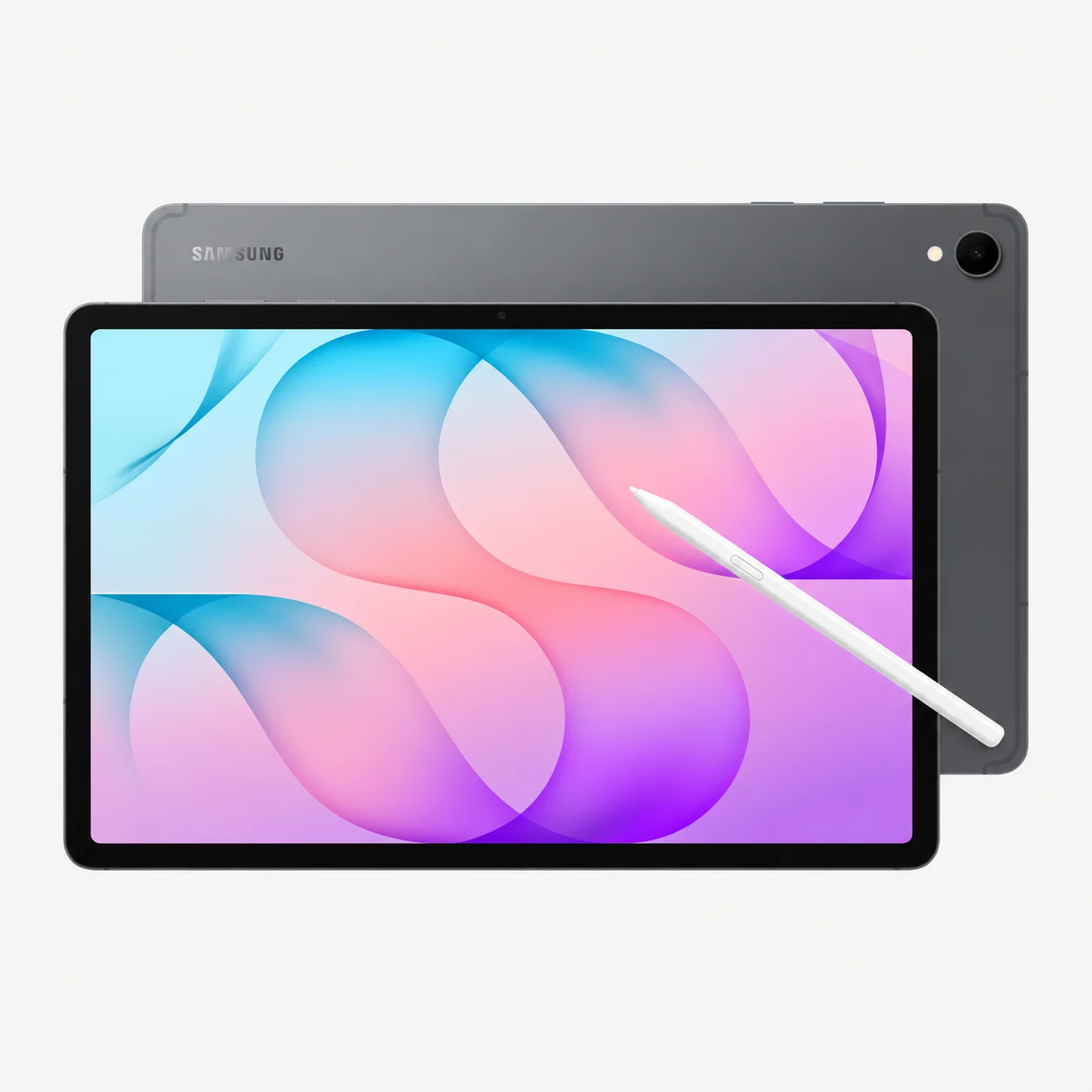
Samsung Galaxy Tab S12 Plus 12GB RAM / 512GB Storage

Rate this product
Select a rating

KShs 175,000

Price is indicative and may change when stock arrives.

In-stock alternatives

Currently unavailable — get notified

Choose an unavailable option and leave your details. We’ll email you when it’s available to order.

We’ll also email you when other options of this product become available, while keeping your chosen option on the waiting list. You can stop alerts from any email. Prices may change when stock arrives.

SKU: 16592
Warranty information1 year Samsung warranty

Product information

Explore the details that matter.

Samsung Galaxy Tab S12 Plus Overview

The Samsung Galaxy Tab S12 Plus price in Kenya is KShs 175,000. This 12.6-inch Android tablet balances a spacious screen for notes, documents and entertainment with a more manageable size for daily carrying. It suits students, professionals and creative users who want pen input and room to multitask without choosing the largest model. If your priority is a bigger canvas for drawing or detailed side-by-side work, compare the Samsung Galaxy Tab S12 Ultra.

256GB or 512GB: choose your local storage

Both listed Plus configurations have 12GB RAM. Moving to 512GB increases storage, not memory or processor performance. Both are offered in Gray and Silver:

  • 12GB RAM / 256GB storage: consider this for notes, documents, streaming and a moderate collection of offline files. Leave room for apps, downloads and future course or work material.
  • 12GB RAM / 512GB storage: useful if you keep more games, video downloads, artwork or project files on the tablet. It provides more local file capacity while retaining the same RAM.

A microSD card can add removable file storage, but it does not add RAM. Keep applications and their storage requirements in mind rather than assuming every app can be moved to a card. Also keep a separate backup of important notes and artwork; a card permanently left inside the tablet is not protection against losing the whole device.

A screen for notes, media and split-screen work

The 12.6-inch Dynamic AMOLED 2X display has a 2800 × 1752 resolution and 120Hz refresh rate. It gives a PDF, notebook or film more room than a small tablet while staying easier to accommodate on a lecture desk or in a work bag than the Ultra. For long typing sessions, consider a stand or a correctly fitted keyboard cover.

Multi Window lets supported applications share the screen. A useful study setup is a reference document beside your notes; a work setup might put a brief beside a draft or a browser beside email. The practical benefit depends on app support and readable panel sizes, so choose the model around the way you actually arrange your work.

S Pen for handwriting, annotation and drawing

The S Pen is included, making handwritten notes and sketches part of the package. Use it to mark up a compatible document, capture a diagram during a meeting or refine artwork in a supported app. For coursework, check how your note app exports PDFs and backs up notebooks before committing a term’s work to it.

The supplied S Pen does not support Bluetooth Low Energy remote functions. Buy it for writing and drawing rather than assuming it provides the remote-control features of every earlier S Pen. Creative-app features and subscription terms vary, so confirm the tools you need before paying for a particular workflow.

Android productivity and Samsung DeX

The MediaTek Dimensity 9500 powers both models. The Plus’s smaller screen and consistent 12GB RAM should therefore be considered alongside the application requirements, rather than treating screen size as a processor upgrade. For gaming, graphics settings, the game itself and sustained workload affect results; a 120Hz display does not guarantee 120fps in every title.

Samsung DeX provides a desktop-style way to organise supported Android apps. A compatible keyboard and mouse can make email, writing and spreadsheets more comfortable, but DeX does not turn Android into Windows. Check complex spreadsheet features, specialist software, browser extensions and your organisation’s device requirements before treating the tablet as a complete laptop replacement.

Connectivity: check the exact network model

Samsung produces Wi-Fi and cellular versions of this family. The options listed on this page identify RAM/storage and colour, without a separate network selection. Confirm the supplied model code if a SIM, eSIM or independent mobile data connection is essential; neither storage capacity nor colour establishes 5G support.

Wi-Fi 6E and Bluetooth 6.0 are listed in Samsung’s specifications. Wireless results depend on your router, network and connected accessories. A phone hotspot is another option for getting a Wi-Fi tablet online away from a router, but it uses the phone’s data allowance and battery.

Video calls, sound and everyday use

The front camera supports online meetings and lessons, while the rear camera can capture a whiteboard or reference image. Position the tablet on a stable stand with light in front of you for calls. Quad speakers suit shared viewing; for private listening, compare compatible wireless earbuds such as Samsung Galaxy Buds 3 FE. Headphones are a separate purchase.

Battery, charging and what to budget for

The 10,600mAh battery supports long sessions, with Samsung quoting up to 21 hours of video playback under test conditions. That is not a promise for continuous gaming, drawing, video calls or maximum brightness. Plan around your own workload and access to charging.

Wired charging supports up to 45W with suitable equipment. Samsung lists the wall charger separately; do not assume that a USB-C cable in the box means a power adapter is included. A compatible keyboard cover, protective case, charger and microSD card should be budgeted separately unless specifically included in your order. Check the exact model fit before reusing an older cover.

Durability and AI features in context

IP68 resistance is useful protection against specified dust and freshwater exposure, not an invitation to use the tablet in a pool or at the beach. Follow Samsung’s care instructions and keep ports dry before charging. A suitable case remains useful for scratches and everyday carrying.

Galaxy AI tools can assist with supported note and content tasks, but review their output against your source material. Availability, account requirements, languages and paid services vary. Regional trial offers should not be assumed to apply in Kenya. Consult Samsung’s official Galaxy Tab S12 Plus specifications and feature conditions when checking a feature that is essential to your purchase.

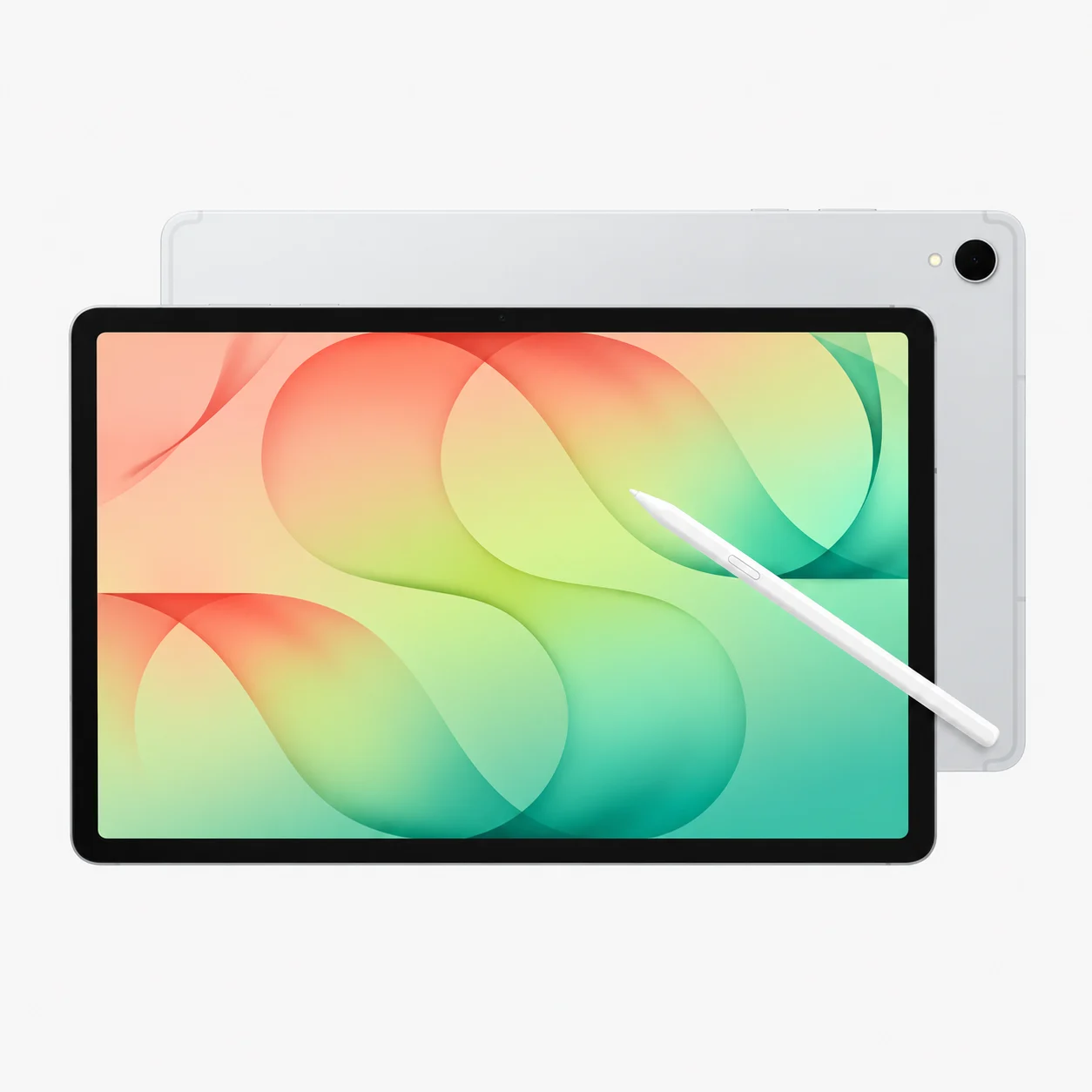
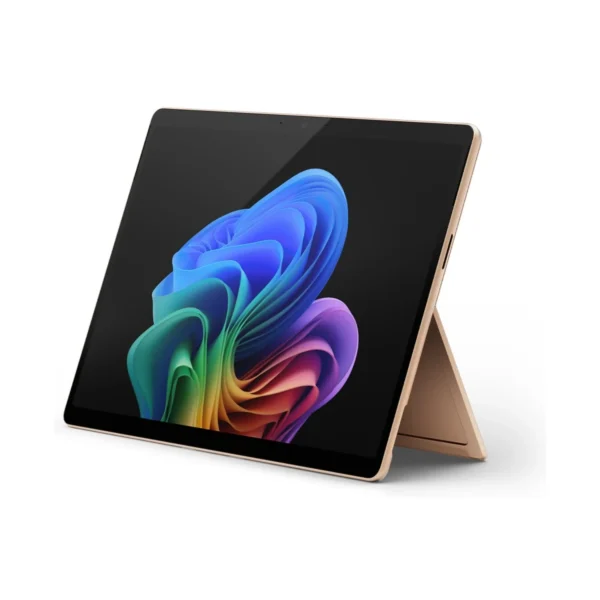
12.6-inch Dynamic AMOLED 2X DisplayEnjoy vibrant colours, sharp details, and an immersive viewing experience for movies, gaming, reading, and creative work.
MediaTek Dimensity 9500 ProcessorHandle demanding applications, multitasking, and mobile gaming with powerful flagship performance.
12GB RAM and Up to 512GB StorageSwitch between applications smoothly and store your documents, photos, videos, and work file
Included S Pen and Galaxy AITake handwritten notes, annotate documents, sketch ideas, and use intelligent creative tools to improve productivity.
10,600mAh Battery with 45W ChargingEnjoy extended usage, with up to 21 hours of video playback under Samsung's test conditions.
IP68 Water and Dust ResistanceGet added peace of mind against dust and water exposure, whether you're working at home, in the office, or on the go.
Type

Operating System

Configuration

,

Processor

RAM

Storage

,

Screen Size

Display Type

Refresh Rate

Screen Resolution

Display Finish

Connectivity

, ,

GPS

Stylus Support

Keyboard Support

Rear Camera Resolution

Front Camera Resolution

Battery Life

Color

,

Release Year

  • Samsung Galaxy Tab S12+
  • S Pen
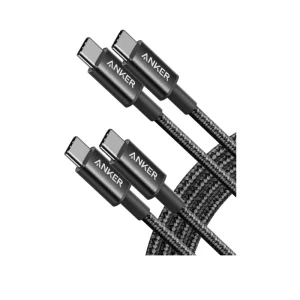
  • USB-C to USB-C cable
  • Ejection pin
  • Quick start guide and warranty/documentation

Pros

  • Large, high-quality AMOLED display is excellent for entertainment, studying, and professional work.
  • Flagship processor supports demanding workloads and smooth multitasking.
  • Included S Pen adds value for note-taking, drawing, and document editing.
  • Expandable storage supports microSD cards up to 2TB, providing room for large files and media libraries.
  • Four-speaker audio and a bright display deliver an enjoyable multimedia experience.
  • Slim 5.3mm design makes it easier to carry than many larger productivity devices.

Cons

  • The 12.6-inch size may be less convenient for one-handed use than a smaller tablet.
  • Premium hardware may make it more expensive than mid-range tablets.
  • The keyboard accessory is sold separately, increasing the cost of a laptop-style setup.
Which RAM and storage options are listed?

The listed options are 12GB RAM with 256GB storage and 12GB RAM with 512GB storage. Both are listed in Gray and Silver.

Does choosing 512GB give me more RAM?

No. The 256GB and 512GB options both have 12GB RAM. Moving to 512GB gives you more internal file storage, not more RAM.

Which storage option should I choose?

Consider 256GB for a moderate app and document collection, and 512GB if you keep more games, downloaded media or project files locally. Both have 12GB RAM, so choose around file capacity rather than expecting a RAM upgrade.

Can I expand storage with a microSD card?

Samsung lists microSD support up to 2TB. A card adds removable file capacity; it does not increase RAM, and not every application can be installed or moved to it. The card is a separate purchase.

Will all the advertised storage be available for my files?

No. The operating system, preinstalled applications and formatting use some capacity. Keep free space for updates, app data and temporary working files.

Is the S Pen included?

Yes. Samsung includes the S Pen with this tablet. A keyboard cover, wall charger and additional accessories should be treated as separate purchases unless your order explicitly includes them.

Does this S Pen have Bluetooth remote controls?

Samsung specifies that the included S Pen does not support Bluetooth Low Energy. Do not assume it provides Bluetooth remote-camera or Air Actions functions associated with some other S Pen models.

Can I take handwritten notes and annotate PDFs?

Yes, using compatible note-taking and document applications with the S Pen. Check PDF import/export, backup and collaboration features in your chosen app, especially if you need to submit coursework or share marked-up files.

Is it suitable for digital art?

The S Pen and large display make it worth considering for compatible Android drawing and design applications. Check the brushes, file formats, layer limits and subscription requirements you need; a tablet app may differ from its desktop counterpart.

Should I choose the Ultra or Plus?

Choose the Plus for a 12.6-inch workspace in a smaller device than the Ultra. The Ultra is worth comparing if you need its 14.6-inch screen or listed 16GB/1TB configuration. Both use the Dimensity 9500 processor.

Can it replace my laptop?

It can handle many compatible Android and web workflows, especially with a keyboard and Samsung DeX. Check specialist desktop software, spreadsheet functions, browser extensions and workplace requirements first. DeX does not run Windows desktop applications simply by changing the interface.

What does Samsung DeX do?

DeX provides a desktop-style workspace for organising supported Android apps. It can make keyboard-and-mouse work more comfortable, but application capabilities remain dependent on the Android software you use.

Can I use more than one app on screen?

Yes, supported apps can share the screen through Multi Window. Choose layouts that keep text and controls readable. Some apps limit multitasking or behave differently from their desktop versions.

Is a keyboard included?

A keyboard is not part of the standard tablet-and-S-Pen package. Buy a compatible model separately unless your order explicitly includes one. Confirm the exact tablet fit rather than assuming an older Galaxy Tab cover will fit.

Does this listing guarantee a 5G or SIM model?

No. The listed selectors identify RAM/storage and colour, without a separate network choice. Confirm the supplied model code before ordering if SIM, eSIM or mobile data support is essential. Samsung offers separate Wi-Fi and cellular versions of the family.

Can I use a phone hotspot?

A Wi-Fi tablet can connect to a compatible phone hotspot. This uses the phone’s mobile data and battery, so check your data plan and expected coverage before relying on it for travel or work.

Which Wi-Fi standard does it support?

Samsung lists Wi-Fi 6E for Galaxy Tab S12 Plus. You need suitable network equipment and supported local settings to benefit from the available bands. Actual speed depends on the network and environment.

Is it good for gaming?

Compare your games’ Android support and recommended requirements. The Dimensity 9500 and 120Hz display are relevant features, but frame rate depends on the game, settings and sustained workload. Do not assume every title runs at 120fps.

How long does the battery last?

Samsung quotes up to 21 hours of video playback under test conditions for the 10,600mAh battery. Gaming, calls, brightness, network use and battery condition change actual runtime.

What charging power does it support?

Wired charging supports up to 45W with a suitable compatible charger and cable. Charging speed varies with conditions; the tablet will not draw maximum power throughout an entire charge.

Is the wall charger included?

Samsung lists the wall power adapter as sold separately. The standard package includes the tablet, S Pen, USB-C data cable, ejection pin and Quick Start Guide. Confirm any additional retailer bundle separately.

Can I use it for online classes and video calls?

Yes, with a compatible application and an adequate internet connection. Use a stable stand, good front lighting and appropriate audio equipment. Check any exam or course software requirements before relying on an Android tablet as your only device.

Can I use it in a pool or at the beach?

Samsung does not recommend pool or beach use. IP68 is based on specified laboratory freshwater and dust tests; resistance can diminish with wear. Follow the manufacturer’s care guidance and do not charge through a wet port.

Are Galaxy AI features and app trials guaranteed in Kenya?

Feature availability, supported languages, accounts and subscription terms vary by region and service. Do not assume an overseas promotional trial applies in Kenya or that every service remains free. Check the terms shown for your device and account.

Do Gray and Silver have different performance?

Colour alone does not change performance. Compare the RAM/storage configuration and confirm the network model separately; the same colour is used across different packages.

How should I protect notes and project files?

Use your app’s backup or export tools and keep a separate copy of important work. A microSD card in the tablet is useful storage, but losing the device can also mean losing that card. Verify that backups can be opened before deleting originals.

Within NairobiSame-day delivery for available products. Timing depends on order confirmation, location and courier availability.
Outside NairobiGenerally next-day delivery; remote locations may take longer.
Delivery chargesCalculated separately based on destination, package and courier. Confirmed before dispatch.
Read our Delivery & Shipping Policy
Warranty coverage
1 year Samsung warranty

Brand warranty terms depend on the exact unit, supplier and service region. Keep the purchase invoice and confirm coverage and exclusions at checkout.

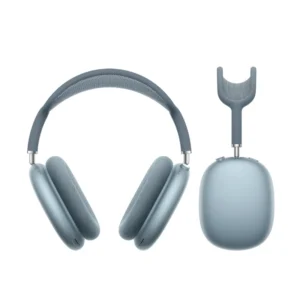
AirPods Max (USB‑C)
HeadphonesAirPods Max (USB‑C)

Check model, connections and included items.

Color: Blue

KShs 66,500

Available models in this category. Compare core features and prices.

Browse category →