
5K Monitors in Kenya: Resolution, Scaling and Usable Workspace
Will a 5K screen fit more of your spreadsheet, code or timeline? Pixel count is only part of the answer. Compare the layout at a text size you can actually use.

Native resolution describes the panel, not your preferred text size
Apple lists Studio Display (2026) as a 27-inch screen with 5120 × 2880 native pixels. That is the physical pixel grid. It does not mean every application should show its interface as tiny as possible, or that two people will choose the same amount of visible content.
macOS display settings let you change the apparent size of text and objects. Apple’s resolution guidance distinguishes larger objects from smaller objects that leave more room. The useful buying question is how much work fits at your comfortable setting, rather than which setting produces the largest-looking desktop in a demonstration.
For a Kenyan buyer moving from a laptop to a desk screen, separate two goals: finer detail and a larger working arrangement. A high-resolution panel can serve a detailed interface without forcing you to use the smallest available text. The screen’s physical size, your viewing position and the software layout still matter.
Bring representative windows, not only a wallpaper
Ask to see the document, spreadsheet, code editor or editing workspace you expect to use. Keep its normal sidebars and tools visible. Decide which windows need to sit together and which can remain behind another window.
For spreadsheet work, compare readable column labels and the number of useful columns visible together. For coding, look at the editor beside the documentation or preview you normally need. For video editing, include the viewer, timeline and panels you actually use. These are suggested comparisons, not promises about any application’s exact layout.
A screenshot viewed on a phone cannot establish physical text size at your desk. Compare at the intended distance without leaning forward just to read a menu. If the layout only works with text you dislike reading, the extra apparent workspace is not a useful gain for you.
Select the external display before changing its setting
In Apple’s current instructions, open System Settings → Displays, select the connected display and choose from its available resolution options. Start with the recommended default, then compare the alternatives relevant to your work. Options depend on the connected setup; do not expect an identical menu on every Mac and screen.
Apple notes that scaled settings can affect performance and that some windows may not fit after a change. This guide provides no benchmark or universal “best” scaling value. If a single application’s text is the issue, compare its own zoom or text controls as well as whole-display scaling. Apple’s screen-size and text guidance covers those separate controls.
Keep a note of the setting used during a demonstration. Comparing one display at larger text and another at a smaller interface is not an equal comparison of their native panels.
Studio Display illustrates the distinction without changing the panel
The reviewed 2026 Studio Display Standard/Tilt configuration uses the same 27-inch 5K panel specification as the other finishes and mounting options in that model family. Standard versus nano-texture glass and the stand choice do not add pixels. Apple’s current specifications list resolution, finish, stand and connection separately.
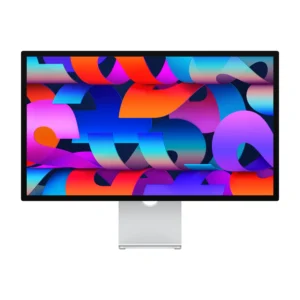
Apple Studio Display 27-inch 5K Retina (2026)
Price range: KShs 262,000 through KShs 377,000
In stock
27-inch 5K Retina example. Choose glass and mounting around the room and desk; compare macOS scaling separately. Confirm the exact computer and software compatibility.
View product & options →Inspect the reviewed Standard glass/Tilt configuration. Use its live selected offer and description, rather than assuming all mounting and finish options have the same availability.
The model uses a Thunderbolt host connection; a USB-C-shaped socket alone is not proof of the intended display mode. Check Apple’s supported-computer and operating-system list against your exact machine before ordering. The monitor does not include a computer.
Check resolution alongside the rest of the desk
| Decision | Useful comparison |
|---|---|
| Panel detail | Native resolution and screen size of the exact model. |
| Usable layout | Your normal windows at a readable interface size. |
| Host connection | The exact Mac, software version, port and cable support. |
| Physical setup | Desk space, viewing position, reflections and stand adjustment. |
Refresh rate and HDR capability answer different questions from how many columns or panels you can read. Our Studio Display versus Studio Display XDR guide covers the wider model decision. Use it alongside this layout check, rather than treating equal 27-inch labels as proof of equal behaviour.
Browse monitors after writing down what must fit comfortably. That short worksheet is more useful than selecting solely by the largest resolution number.
Questions before ordering
Does 5K mean I should choose the smallest text setting?
No. Choose a readable layout for the work you actually do. Native panel resolution and interface size are separate parts of the decision.
Does nano-texture glass give more workspace?
No. It changes the display finish, not the panel’s native pixel count or your application’s layout.
Can a screenshot prove that text will be comfortable at my desk?
No. View a representative layout at your intended distance on the actual screen.
Manufacturer help and credits
Use Apple’s current display-setting instructions and Studio Display specifications and compatibility list. The original diagram explains layout without copying a settings screenshot. No suitable specific manufacturer video was verified for this comparison; the written primary instructions are linked directly.
Illustration: original NextBuy Journal artwork. Product photo: genuine existing NextBuy Studio Display library. No hands-on readability, performance or colour test is claimed.