Cookie settings

Choose optional cookies. Change these any time.

EssentialAlways on for shopping

Privacy policy

Lenovo Legion Go S (AMD Ryzen Z2 Go) SteamOS + 16GB RAM + 512GB SSD

Rate this product
Select a rating

KShs 93,000

In-stock alternatives

An 8-inch 120Hz IPS handheld PC with Ryzen Z2 Go, integrated controls and Windows or SteamOS choices. Select 16GB/512GB, 16GB/1TB or 32GB/1TB around your library; every package includes a 65W USB-C charger.

SKU: 15740
Warranty information1 year Lenovo warranty

Product information

Explore the details that matter.

Lenovo Legion Go S (AMD Ryzen Z2 Go) Overview

The Lenovo Legion Go S (AMD Ryzen Z2 Go) price in Kenya is KShs 93,000. This handheld gaming PC combines an 8-inch 120Hz IPS touchscreen with integrated controls and a choice of Windows or SteamOS. It suits a player who wants to carry a PC game library in one self-contained device, with 16GB or 32GB memory and 512GB or 1TB storage options. The operating system is as important as capacity: choose it around your actual games and launchers. Compare the Legion Go S with Ryzen Z1 Extreme when processor performance is a higher priority.

Windows or SteamOS: start with the games you play

Windows is the more familiar route for a mixed PC library spread across different Windows launchers and applications. It is useful when your preferred game or service specifically requires Windows, but desktop dialogs, updates and launcher sign-ins can require more interaction than on a traditional console. The touchscreen and small touchpad help; a keyboard and mouse can make initial setup easier.

SteamOS puts a controller-oriented Steam experience at the centre of the device. It can suit a Steam-focused library, but not every Windows game works through its compatibility layer. Check the specific game, launcher and anti-cheat support rather than assuming that a title available on PC will run on both operating systems. Neither choice supplies ownership of every game.

Understand the six listed configurations

The catalogue offers 16GB memory with 512GB SSD, 16GB with 1TB SSD, or 32GB with 1TB SSD, each paired with Windows or SteamOS. The 512GB version suits a smaller rotating library; 1TB gives more room for installations and updates. Actual usable capacity is lower after the operating system and reserved data.

The 32GB option provides more memory headroom than 16GB, but does not change the Ryzen Z2 Go processor into a higher-tier chip. Memory is soldered and cannot be expanded through a spare RAM slot, so choose it at purchase. Prioritise software compatibility first, then memory and storage around the games you genuinely plan to use.

An 8-inch IPS display with variable refresh

The 1920 × 1200 touchscreen uses a 16:10 shape, giving interfaces and game scenes a little more vertical space than a 16:9 screen. Its 48–120Hz variable-refresh capability can help present supported changing frame rates more smoothly. It is an IPS panel, not the OLED screen found on the Legion Go Gen 2.

A 120Hz panel does not mean demanding games will reach 120fps. Reduce resolution, graphics detail or the frame-rate target when needed to balance responsiveness, battery consumption and image quality. Text-heavy games should also be checked for readable interfaces at handheld size, even if their minimum PC requirements are met.

Ryzen Z2 Go and realistic handheld performance

Ryzen Z2 Go is a four-core, eight-thread processor with integrated Radeon graphics. It is designed for a portable gaming system rather than desktop-class graphics at maximum settings. Indie games, older titles and demanding releases can place very different loads on it, so avoid judging the device by one headline frame-rate number.

Power profiles and game settings affect performance, fan activity and battery drain together. A higher power setting may help a suitable workload while shortening unplugged play. If you mainly want demanding games at high settings, compare the processor options across the catalogue rather than spending solely on a larger SSD.

Integrated controls and everyday handling

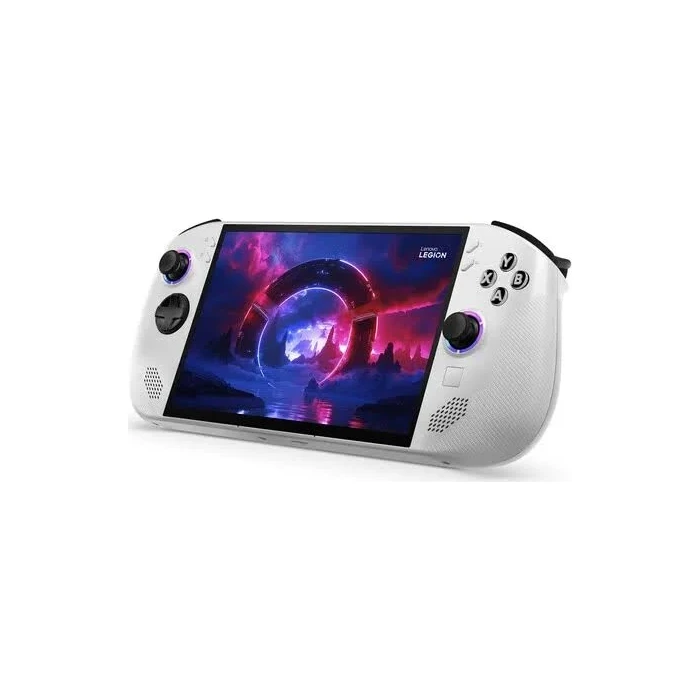
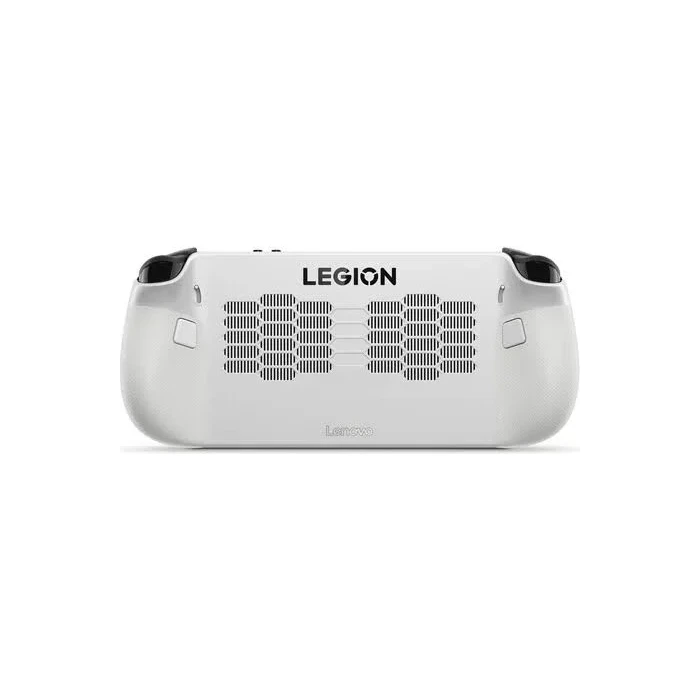
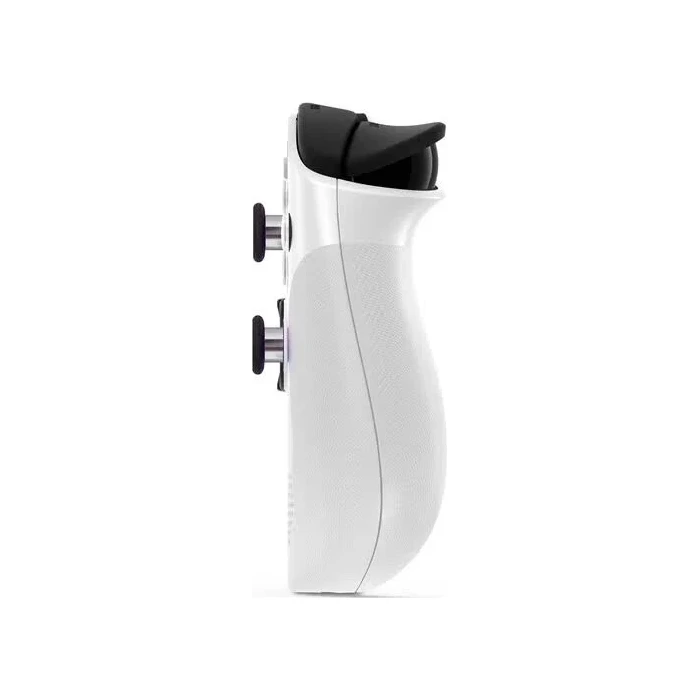
Unlike the larger Legion Go models with detachable controllers, the Go S keeps its controls attached to the body. Trigger-range switches let you change the trigger travel for different game types, and rear buttons provide additional control options where configured. The small touchpad helps with pointer tasks without turning the device into a full laptop replacement.

At around 740g, it is lighter than some larger handheld PCs but still substantial for extended sessions. A supported resting position can be useful during long play. There is no detachable-controller FPS dock arrangement here; a game that works best with keyboard and mouse may need those separate accessories.

55.5Wh battery and the included charger

The rechargeable battery is rated at 55.5Wh. Runtime depends on the game, brightness, wireless use and power settings; video-playback test figures should not be read as demanding-game endurance. For a trip, plan charging around the games you will actually play rather than the best-case headline.

Every configuration supplied here includes a 65W USB-C charger, as confirmed for these NextBuy packages. A third-party power bank or charger needs suitable USB Power Delivery capability, not just a USB-C connector. Charging while playing can produce different charging times from an idle-device test.

Ports, expansion and what is separate

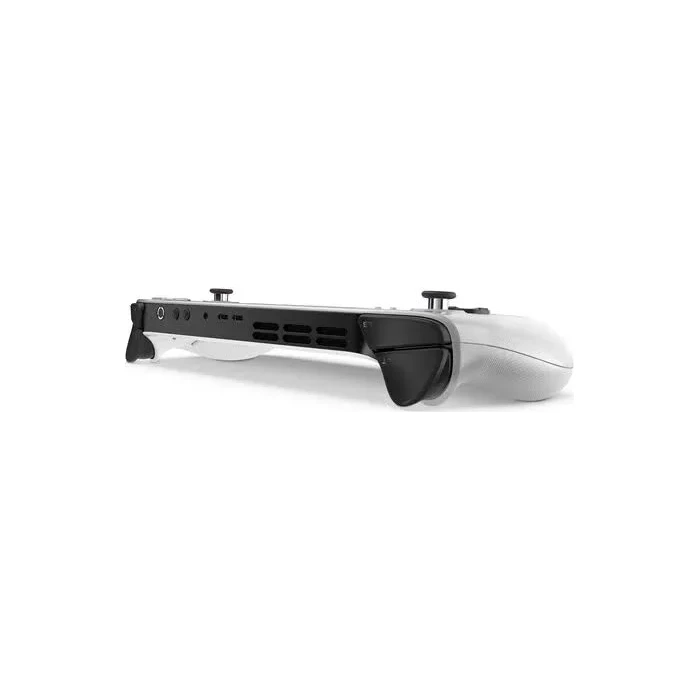
Two USB4 Type-C ports support data, charging and DisplayPort output through suitable accessories. A compatible dock or adapter can connect a monitor, while the 3.5mm socket serves a wired headset and the microSD reader offers additional storage. A microSD card is not identical in speed or behaviour to the internal SSD.

Games, subscriptions, a carry case, microSD card and external-display dock are separate unless expressly supplied. For hardware details, consult Lenovo’s official Legion Go S 8ARP1 specification. The best configuration is the one whose operating system supports your library and whose capacity fits your installation habits.

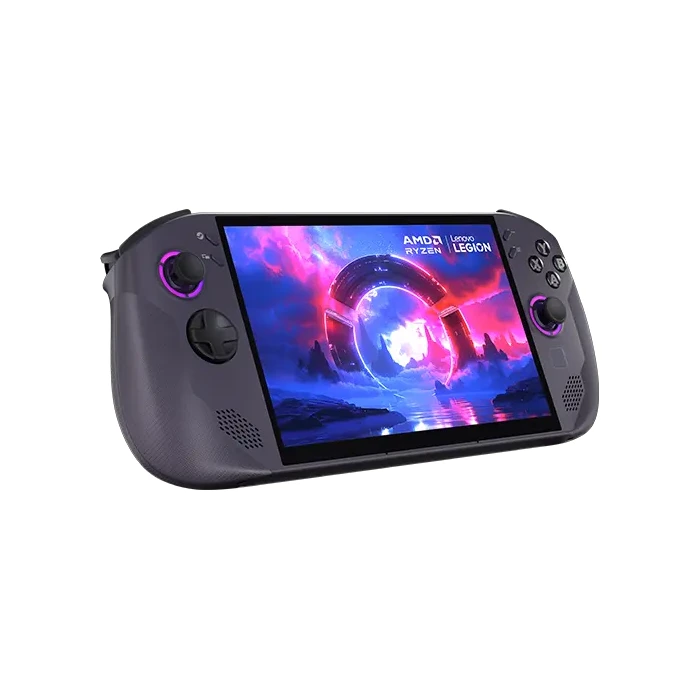
Windows or SteamOSChoose around game, launcher and anti-cheat compatibility, not only the interface.
8-inch 120Hz IPS touch display1920 × 1200 resolution and variable refresh support handheld gaming and navigation.
Three memory/storage combinations16GB/512GB, 16GB/1TB and 32GB/1TB options address different library needs.
Integrated gaming controlsAttached controls, rear buttons, trigger-range switches and a small touchpad serve portable play.
55.5Wh rechargeable batteryRuntime varies with workload; the confirmed 65W USB-C charger is included.
Two USB4 ports and microSDConnect suitable display/data accessories or add removable storage.
Type

Edition

Operating System

,

Configuration

, ,

Package

Console Storage

,

Processor

RAM

,

Screen Size

Display Type

Screen Resolution

Refresh Rate

Battery Life
Color

,

Release Year

  • SteamOS — 16GB memory / 512GB SSD
  • Lenovo Legion Go S Ryzen Z2 Go handheld with integrated controls and the selected operating system, memory and SSD; 65W USB-C charger.
  • Windows — 32GB memory / 1TB SSD
  • Windows — 16GB memory / 512GB SSD
  • Windows — 16GB memory / 1TB SSD
  • SteamOS — 16GB memory / 1TB SSD
  • SteamOS — 32GB memory / 1TB SSD

Pros

  • Choice of Windows or SteamOS for different software preferences.
  • Variable-refresh 8-inch touchscreen.
  • 32GB memory option for additional headroom.
  • 1TB storage options reduce installation juggling.
  • Two USB4 ports support flexible accessories.
  • 65W charger included with every listed configuration.

Cons

  • Soldered memory cannot be upgraded through RAM slots.
  • Ryzen Z2 Go requires realistic settings in demanding games.
  • SteamOS compatibility is not universal; integrated controls do not detach.
What is the difference between Windows and SteamOS?

Windows supports the Windows software environment and its compatible launchers. SteamOS centres on Steam and a controller-oriented interface, using compatibility technology for many Windows games. Check each game and anti-cheat system; support is not identical.

Which memory and SSD options are listed?

The options are 16GB/512GB, 16GB/1TB and 32GB/1TB, each with Windows or SteamOS. The selected operating system and memory/storage combination define the exact configuration.

Can I upgrade the RAM later?

No. Lenovo specifies soldered memory with no RAM slots. Choose 16GB or 32GB at purchase rather than planning a later memory-module upgrade.

Does 32GB make this a Ryzen Z1 Extreme model?

No. Every configuration on this page uses Ryzen Z2 Go. Extra memory does not change its processor or graphics architecture.

Is the screen OLED?

No. It is an 8-inch 1920 × 1200 IPS touchscreen with 48–120Hz variable refresh capability. The larger Legion Go Gen 2 is a different product.

Will every game run at 120fps?

No. The screen refresh capability is not a frame-rate guarantee. Actual results depend on the game, power profile, resolution and graphics settings.

Do the controllers detach?

No. Legion Go S uses integrated controls. It does not have the detachable-controller arrangement of the larger Legion Go models.

Is a charger included?

Yes. NextBuy has confirmed a 65W USB-C charger is included with every Windows and SteamOS configuration listed here.

How long does the battery last while gaming?

There is no single reliable gaming duration for every title. The 55.5Wh battery lasts differently with workload, power settings, brightness and wireless use; video-playback test figures are not demanding-game runtime.

Can I connect an external monitor?

Yes, through a suitable USB-C display cable, adapter or dock using the USB4 ports’ display-output support. Those accessories are separate, and a larger screen does not increase graphics performance.

Can I add a microSD card?

Yes. A microSD reader is provided, but the card is separate. Performance and suitability for a game can differ from the internal SSD.

Can it play all my Xbox console purchases?

Not automatically. PC entitlements depend on the game and service. A console purchase does not universally grant a PC copy, and Windows and SteamOS service support can differ.

Are a carry case and TV dock included?

No carry case or external-display dock is promised in the standard package. The confirmed contents are the selected handheld configuration and its 65W USB-C charger.

Should I choose 512GB or 1TB?

512GB suits a smaller library that you rotate regularly. 1TB provides more room for larger installations and updates. Both have less usable space after system data, and storage capacity alone does not improve frame rates.

Within NairobiSame-day delivery for available products. Timing depends on order confirmation, location and courier availability.
Outside NairobiGenerally next-day delivery; remote locations may take longer.
Delivery chargesCalculated separately based on destination, package and courier. Confirmed before dispatch.
Read our Delivery & Shipping Policy
Warranty coverage
1 year Lenovo warranty

Brand warranty terms depend on the exact unit, supplier and service region. Keep the purchase invoice and confirm coverage and exclusions at checkout.

Available models in this category. Compare core features and prices.

Browse category →