
Heart-Rate Straps in Kenya: Live Transmission or Onboard Recording?
A connected sensor is not always a saved workout. Check the receiver, recording mode and sync route before choosing a strap.
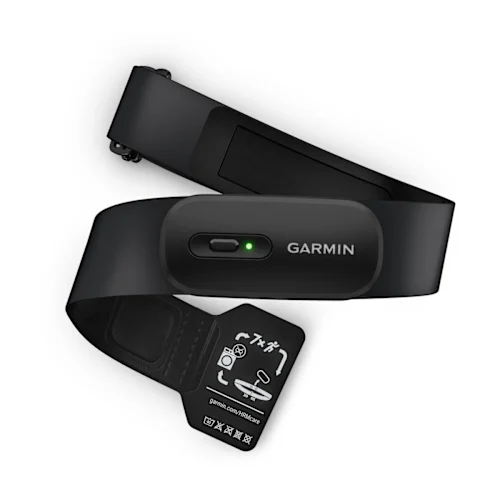
Ask where the workout will be saved
A chest strap can send a live heart-rate signal without keeping a workout to upload later. Before choosing one, identify the device or app that will save your session. Seeing a connection icon does not prove that a complete activity is being recorded.
For a Kenyan runner, cyclist or gym user, the practical difference is straightforward. If your compatible watch stays with you and records the session, a live-transmission strap may cover the job. If you need to leave the watch behind, look for a supported recording workflow, not simply a Bluetooth logo.
Start with the missing step
Write down the complete route: sensor → receiver or onboard recording → saved activity → app where you will review it. If you cannot explain one of those steps for the equipment you own, settle it before ordering.
Three recording labels describe different workflows
| Recording label | What it means for the session | Real example |
|---|---|---|
| Live Transmission Only | A compatible receiving device or recording app captures the incoming data. | Garmin HRM 200 |
| Store and Forward | The strap holds heart-rate data for later transfer to a supported recorded activity. | Garmin HRM 600 |
| Standalone Activity Recording | The sensor can record a timed activity using the manufacturer’s supported start-and-sync workflow. | Garmin HRM 600 |
Read Recording beside Connectivity. The first answers where data is kept; the second answers how compatible devices communicate. They are separate fields for a reason.
These examples show why wireless support alone does not establish whether a workout is stored. Check the recording workflow for the exact model you are considering.
When a live-transmission strap is enough
The Garmin HRM 200 transmits live heart rate and HRV through ANT+ or Bluetooth Low Energy to compatible equipment. It does not keep a workout for a later upload. If your watch or supported training app already records the activity, that can be a sensible arrangement.
A common buying mistake is to pair a sensor to a phone, leave the phone elsewhere and expect a saved session afterwards. HRM 200’s Garmin Connect pairing supports settings and software updates; that is not the same as HRM 600’s activity-recording feature. Garmin’s pairing instructions describe those functions separately.
For a treadmill or indoor-bike session, check two things on the equipment: can it receive the external sensor’s signal, and where does that equipment save or export the session? A number visible on a gym console may be all you need for that workout, but it is not evidence that the activity will appear in your preferred app afterwards.
Watch-free recording still needs the correct start procedure
The Garmin HRM 600 supports Standalone Activity Recording. Garmin’s documented workflow starts the timed activity through Garmin Connect. Once recording has started, you do not need to remain within phone range.
- Pair the HRM 600 with Garmin Connect and prepare it according to the manual.
- Select HRM 600 under Garmin Devices, choose Activity Recording and follow the instructions to start.
- Confirm that the sensor indicates recording before putting the phone away.
- After the session, use Stop and Save in the app and check the synced activity.
Follow the current HRM 600 recording instructions for the full sequence and battery conditions. Wearing the strap or completing Bluetooth pairing is not, by itself, the instruction to begin a timed recording.
This can matter when a watch is inconvenient for a particular session. The buying decision is whether that workflow solves your problem, including the phone preparation and later sync, rather than whether a higher-numbered model sounds more capable.
Store and Forward is a separate route
Garmin’s Store and Forward guidance describes starting a timed activity on a compatible paired watch. Stored heart-rate readings can later fill missing heart-rate data in that activity under the supported conditions. The strap must be brought back into the required range before the download.
That is a different workflow from starting a standalone HRM 600 activity in the phone app. Do not assume that stored heart-rate data automatically becomes a complete workout in any third-party app, or that a missing session can always be recovered after the event.
If this is the feature you need, verify the exact watch and activity profile before buying. General sensor compatibility and support for a specific stored-data workflow are different checks. Garmin also provides instructions for accessing stored data later; read the conditions rather than treating it as an automatic backup for every session.
Bluetooth support does not settle every compatibility question
The watch, app or fitness equipment must accept an external heart-rate sensor using a connection type that the strap supports. A Bluetooth logo on both boxes is too broad a compatibility check.
HRM 200 offers secure and open connection types. Garmin identifies secure Bluetooth as requiring supported receiving devices, while its open mode is used for ANT+ and some Bluetooth connections, including compatible third-party equipment. Consult the manual for your receiver and the strap’s pairing mode.
Do not transfer one feature’s compatibility to every other feature. HRM 600’s advanced running metrics, for example, require specifically compatible Garmin devices. Receiving basic heart-rate data does not prove that all running analysis is available. The manufacturer’s feature explanation includes those qualifications.
Choose the workflow, then fit and upkeep
Both models offer XS-S and M-XL straps. Choose the actual measured fit using the selected product’s size guidance, rather than your usual shirt-size label. Size changes the supplied strap; it does not give HRM 200 HRM 600’s recording features.
Battery type is another independent choice. HRM 200 uses a replaceable CR2032; HRM 600 is rechargeable. Think about the maintenance routine you prefer after choosing the recording workflow. Rechargeability alone does not establish what a sensor can store.
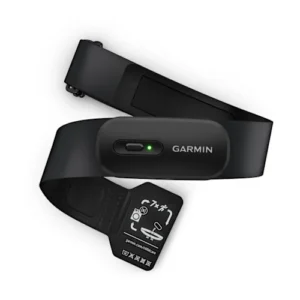
Garmin HRM 200
Example for live transmission to a receiver or recording app you already use.
Current model offers: KShs 11,500
In stock · Select the required strap size.
Check HRM 200 sizing and offer
View product & options →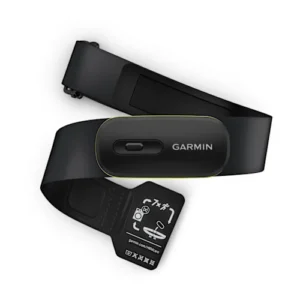
Garmin HRM 600
Example with standalone activity recording and a supported store-and-forward workflow.
Current model offers: KShs 19,000
In stock · Select the required strap size.
Check HRM 600 sizing and offer
View product & options →Open the selected size for its exact current purchase options. Compare other heart-rate monitors using the same receiver-and-recording checklist, rather than assuming a feature carries across a brand’s entire range.
Questions before choosing
Does Bluetooth mean a strap records a workout itself?
No. Wireless connectivity and onboard recording are separate capabilities. Identify the device or supported workflow that saves the session.
Can HRM 200 upload a workout after I leave its receiver behind?
It is a live-transmission model, not a standalone activity recorder. Arrange for a compatible receiver or app to capture the activity during the session.
Does HRM 600 start a timed recording just by being worn?
Use Garmin’s supported activity-recording procedure. For the standalone workflow covered here, start the activity in Garmin Connect and check the recording indication.
See the manufacturer explain the pairing modes
HRM 200 pairing modes
Watch Garmin Support explain HRM 200 pairing modes. Pairing is one part of the workflow; make the separate recording check before your first important session.
Photograph: Garmin manufacturer image, showing HRM 200 with its supplied strap. This guide explains documented device behaviour and purchase checks; it does not claim a NextBuy training or sensor-accuracy test.