
Google TV or VIDAA in Kenya: Check Your Streaming Apps Before Buying
Check the exact television, regional app catalogue and subscription before choosing a smart TV for your household’s streaming services.

Start with the service, then the television
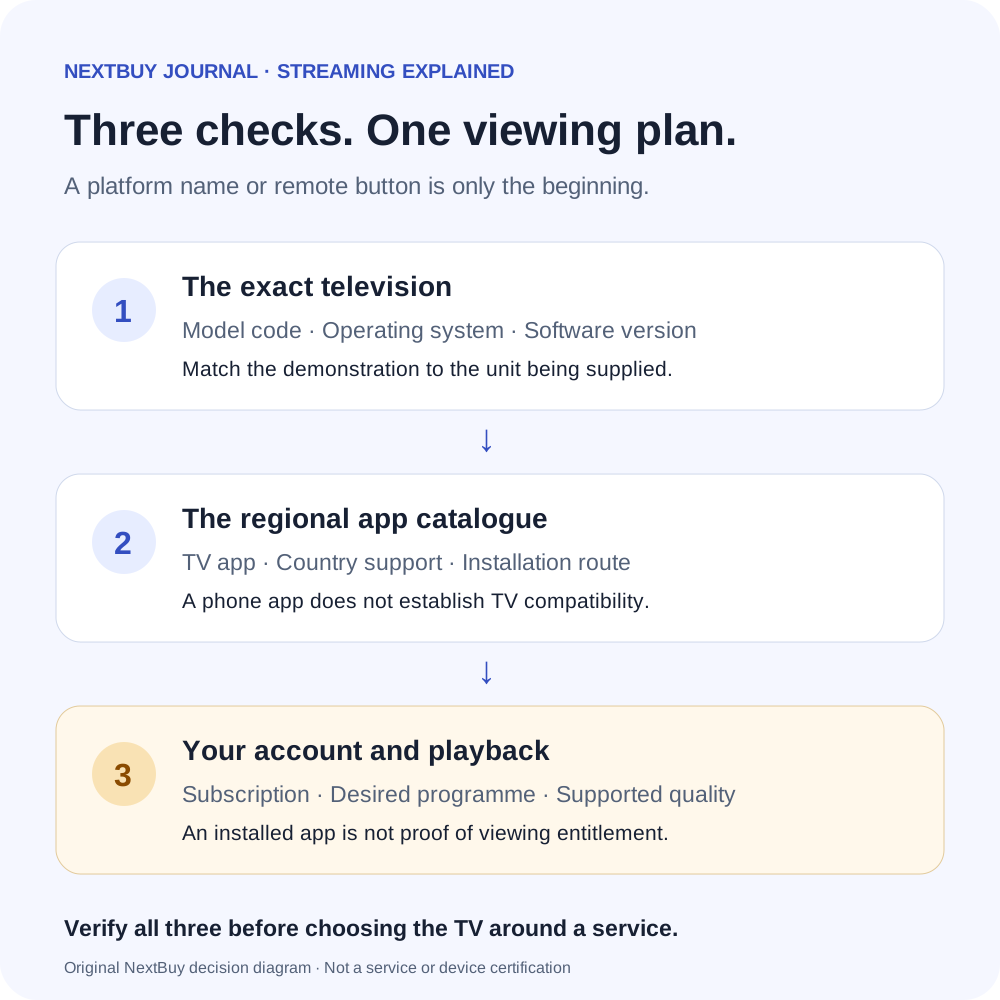
A Kenyan buyer choosing a television for streaming needs two answers: can the exact regional TV run the service, and does the chosen subscription permit the programme and playback you want? A platform name answers neither question completely. Put your essential services in a short list before comparing screen sizes.
For each service, check its current official supported-device list and the television’s own app search. Ask for the exact model code and software version, not just a demonstration on a different television from the same brand. An app opening to its sign-in page is useful evidence of installation; it does not demonstrate that your account, package or chosen live event will play.
Google TV and VIDAA use different app routes
NextBuy’s Sony BRAVIA 3 S30 record identifies Google TV, while its Hisense A6Q record identifies VIDAA. Look for TV Smart Platform in the specifications when checking which app system a set uses. They are not a like-for-like screen-size comparison or a ranking of picture quality.
Sony explains the Google TV installation route: search for the service from the Apps area, then install the compatible TV app. A service having a phone app does not establish that its TV version is supported. Hisense describes VIDAA and its regional limitations; use the VIDAA app catalogue for the supplied set. A reference to Google search or a phone remote app does not turn VIDAA into Google TV.
| Check | Google TV example | VIDAA example |
|---|---|---|
| Example model | Sony BRAVIA 3 S30 | Hisense A6Q |
| Where to check | TV Apps search / compatible Google Play TV apps | The TV’s VIDAA app catalogue |
| What remains unproved | Your Kenyan account, subscription and desired playback | Your Kenyan account, subscription and desired playback |
Search for the exact TV service. Do not assume a phone installation file can substitute for an app approved for the television.
Make the demonstration match your household
- Name the content. Specify the film service, local programme or live sport you actually want. A remote-control shortcut is only a shortcut.
- Check the supplied region. Match the complete model label and operating system to the unit being sold. Regional advertising from another country is not a Kenyan service guarantee.
- Separate installation from entitlement. Confirm the service’s current Kenyan plan and device rules before paying for a subscription. No subscription is included merely because an app is visible.
- Try the intended playback route. If relying on casting, establish which phone, app and TV receiver are supported. Phone mirroring and an app’s supported cast function are different tests.
For a shared lounge, also check whether the remote and home screen are easy for the people who will use them. This is a practical comparison to make yourself; we have not timed or tested either interface.
If the essential app is missing
First check the service provider’s current compatibility advice and the manufacturer’s official software-update route. Do not buy on a promise that an unannounced update will add the service later.
A supported external streaming player through HDMI can be a separate option. Price the complete arrangement and verify that player’s own regional service support, rather than assuming any HDMI stick solves the problem. Casting also needs its own compatibility check. Neither workaround changes the television’s native operating system.
Picture hardware is a separate decision. Our QLED and Mini LED explanation helps with backlight and colour labels; those labels do not establish which apps a TV can install. Equally, a 4K panel does not make every programme or subscription a 4K stream.
Current examples and exact configurations
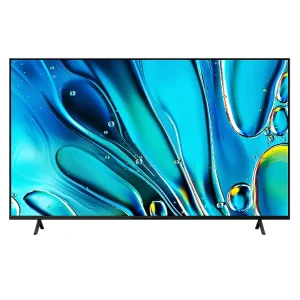
Sony BRAVIA 3 S30: Google TV
KShs 219,500
In stock
The inspected size is 75-inch; this is a platform example, not a recommendation to buy a large screen for a small room. Inspect this exact configuration; use its selector to confirm the finish or size before ordering.
View product & options →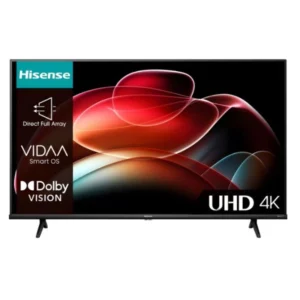
Hisense A6Q: VIDAA
Price range: KShs 31,500 through KShs 162,000
In stock
The inspected example is 43-inch. Its regional VIDAA platform is the relevant distinction here. Inspect this exact configuration; use its selector to confirm the finish or size before ordering.
View product & options →Live figures above are model offers, not a fixed premium for an operating system or a promise that every listed size is available. Browse Smart TVs and confirm the exact size and regional unit.
Questions before choosing
Does Google TV run every Android phone app?
No. Sony says the television shows apps compatible with that TV. Check the TV version of the service and its regional support.
Does a Netflix or other service button include a subscription?
No. Treat the button as a way to launch a service. Account eligibility, payment and the plan’s viewing rules are separate.
Will a different app platform improve the panel?
It changes the software route, not the physical display. Compare picture hardware and app support as separate decisions.
Official installation help
Watch VIDAA’s official app-installation tutorial. This older tutorial illustrates the app-store process; menus on a newer regional set may differ. The written Sony installation guide covers Google TV.
Photograph: existing Hisense A6Q manufacturer image. Any service artwork shown on a promotional screen is not proof of present Kenyan app or subscription availability. This is a documented compatibility guide, not a NextBuy interface or streaming test.