
MicroSD Cards for Action Cameras in Kenya: V30, U3 and Capacity Explained
Choose a card that can keep up with recording, then plan capacity and backup. HERO13 Black provides a real example.
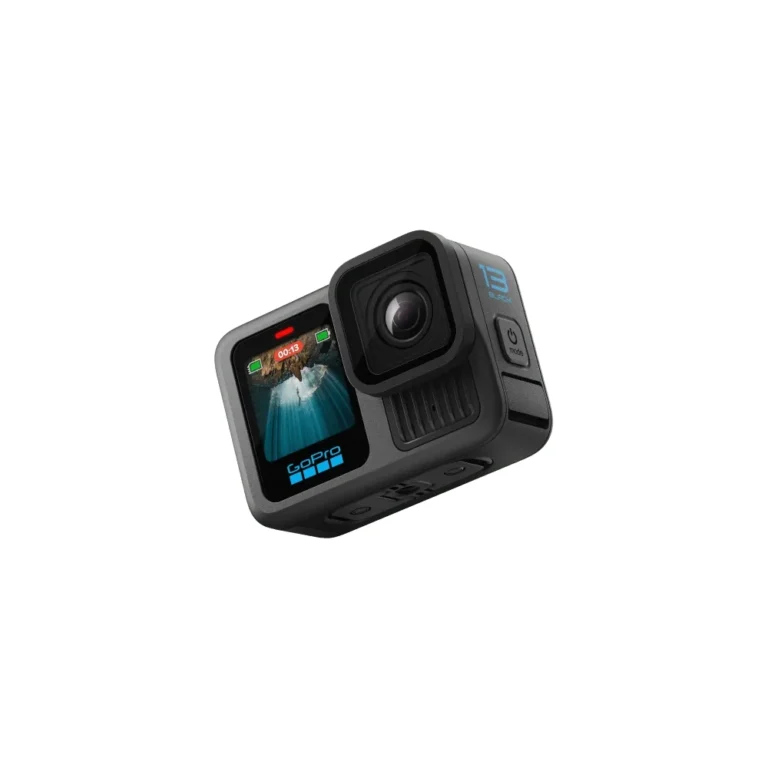
Choose compatibility before capacity
A larger microSD card does not automatically make an action camera record reliably. First match the camera’s required card type and performance ratings, then choose enough capacity for your filming and backup routine. A large card with the wrong rating solves the wrong problem.
For a Kenyan buyer preparing for a weekend trip, a school event or a paid shoot, the useful question is: will this exact card sustain the selected recording mode, and where will today’s footage be copied? Check both before leaving Nairobi or relying on a single card away from your computer.
The practical buying order
Exact camera model → manufacturer-approved card family and capacity → required speed markings → enough working space → a separate backup. A prominent read-speed number is only one part of that decision.
GB, V30, U3 and A2 answer different questions
| Marking | What it describes | Buying implication |
|---|---|---|
| GB | Storage capacity | How much material can fit; not proof of recording speed. |
| V30 | Video Speed Class, with a 30MB/s minimum sequential-write class under specified conditions | Match the camera’s video-class requirement. |
| U3 | UHS Speed Class 3 | A speed-class marking; the 3 does not mean the UHS-III bus. |
| A2 | Application Performance Class | A separate rating to check when the camera maker specifies it. |
| Up to … MB/s | An advertised transfer figure, often read speed | Read the qualification; do not substitute it for sustained-write compatibility. |
The SD Association explains the separate speed-class systems. Match the actual symbols requested by the host device. Similar-looking numbers on different systems are not a reason to ignore the manufacturer’s card guidance.
A real example: HERO13 Black needs removable storage
The GoPro HERO13 Black has no built-in storage. Its populated NextBuy specifications list microSD support at U3/V30 or faster, alongside modes including 5.3K60 and 4K120. Those are useful starting fields, but the card purchase still needs the exact camera maker’s compatibility check.
GoPro’s HERO13 setup guidance specifies A2 V30/UHS-3 or higher. Include the A2 marking in your check rather than treating a U3 badge alone as the entire requirement. Consult GoPro’s current recommended-card list for the exact card family and capacity; a brand name on its own is too broad.
The Standard Kit lists the camera, battery, mounting pieces and USB-C cable. Do not assume that a memory card is included. Check the selected package’s contents before adding accessories; another bundle’s contents are not evidence for yours.
128GB or 256GB: start with your offload routine
If you copy footage after each short session, a smaller compatible card may be easier to manage. If you record many clips before reaching a computer, extra capacity offers more working room. Neither choice removes the need to back up important recordings.
As a planning example, someone filming short travel clips and copying them each evening has a different need from someone recording repeated long sessions over several days. Compare your expected shooting time, the recording settings and your available backup storage. Do not buy a capacity purely because a shop labels it suitable for 4K.
There is no honest universal “hours per card” answer. Resolution, frame rate, compression settings and bitrate change file sizes. Use a short recording in your intended mode and the camera’s remaining-time indication to plan your own session, leaving spare capacity. A bigger card also puts more unbacked-up footage in one place.
Before the outing: verify, copy and test
- Buy an identifiable card model and capacity from a seller with a clear returns route. Keep its packaging and receipt.
- Compare its markings and exact product family with the camera maker’s guidance, not just a marketplace title.
- Back up existing files before formatting or reusing any card. Formatting erases its contents.
- Follow the camera’s setup instructions, record a short clip in the intended mode, then play it back and copy it to your editing device.
- For important footage, keep a second verified copy before clearing the card.
A successful short check is useful preparation, not a guarantee against every future failure. If an error appears, stop relying on that card for irreplaceable footage and follow the camera maker’s troubleshooting guidance.
When the next step is editing on a MacBook, our APFS versus exFAT guide for video projects explains the separate external-drive format decision. Card capture compatibility and editing-drive format are different checks.
Check the camera offer and the selected package
The live figures below describe the HERO13 model’s current package range, not a memory-card price or a promise that every kit includes one. Open the configuration page for the selected kit and current purchase options.
GoPro HERO13 Black
A completed camera example for understanding removable-storage requirements. Choose the exact package separately.
Current model price range: Price range: KShs 51,500 through KShs 90,000
In stock · Package or size availability varies.
View product & options →Questions before buying a card
Does V30 mean 30GB?
No. V30 is a video speed class. Capacity is separately marked in GB or TB.
Will more GB improve video quality?
Capacity alone does not improve the image. Choose a compatible card first; camera settings and the scene determine the recording, while capacity determines how much can be stored.
Can I use the same card choice for every action camera?
Check each exact camera. Similar video resolutions do not prove identical card requirements or supported capacities.
References and useful video
Start with GoPro’s HERO13 setup guide and current microSD recommendations. The latter may require the GoPro support page to finish loading. The SD Association’s video-recording explanation supplies the class definitions.
Understand the speed-class symbols
Watch the SD Association’s introduction to Video Speed Class, linked by the standards body’s own explanation. It explains the rating system; it is not a test of a particular card sold in Kenya.