
8K 360 Video in Kenya: What Reframing Changes Before You Share
An 8K spherical recording and an 8K rectangular clip describe different things. Decide how you will frame, edit and share your footage before choosing a 360 camera by its biggest resolution number.
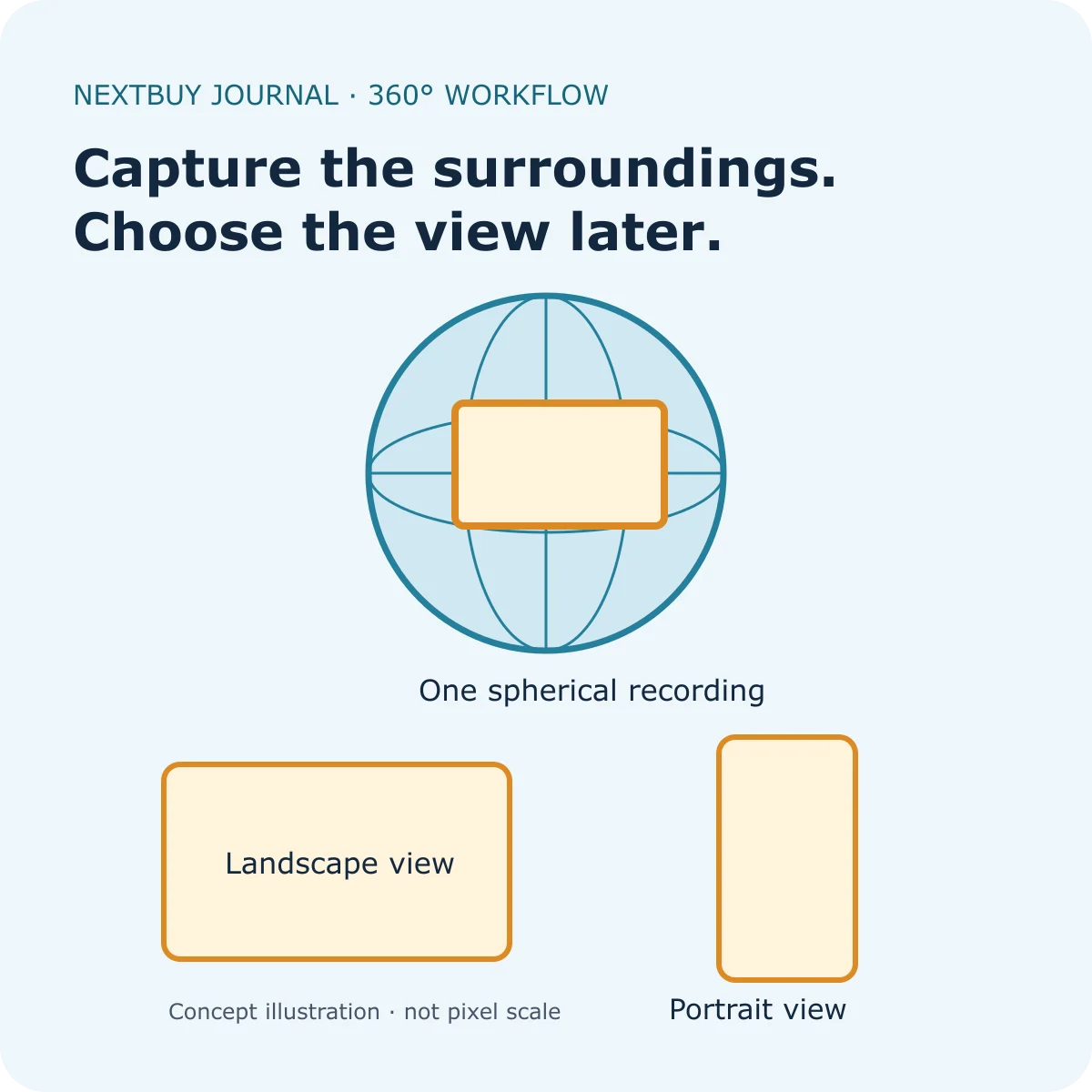
The 8K figure covers the spherical scene
In 360 recording, the camera captures its surroundings and combines the views into spherical media. Insta360’s explanation of 8K capture distinguishes that complete scene from a conventional flat frame. The pixels are distributed around the scene, rather than all being concentrated in the direction you eventually show.
This is why an 8K 360 recording should not be read as a promise of an 8K close-up after cropping in on a distant subject. A tighter view selects a smaller part of the recorded surroundings. Its useful detail depends on the capture, framing and processing, not only the size of the export file.
The labels in a specification table matter. For example, the X5 lists 8K 30fps in 360 mode separately from single-lens recording. Read the mode together with resolution and frame rate; identical-looking “4K” labels can refer to different recording workflows.
Reframing lets you choose where the viewer looks
A flat export turns your chosen direction into an ordinary video frame. You can compose a landscape view for a longer video or a portrait version for a phone screen from the same spherical source. Insta360’s View Adjustment instructions show how to choose and adjust views in its app, and distinguish this from single-lens media.
For a Kenyan creator making both a business page video and a vertical social clip, that flexibility may be the main reason to choose 360 recording. You can decide which direction matters while editing. The trade-off is another decision stage before delivery: someone must select the view and check the result.
Start with a framing goal. A wide view can show the place and the person together; a narrow view directs attention to a detail. Neither choice is automatically better. Avoid treating a very tight digital crop as a replacement for moving close enough to record the subject with useful detail.
Our digital crop and optical reach guide explains the related zoom distinction. Here the extra issue is that a 360 source covers the surroundings, while your final viewer sees only the direction and framing you choose.
Plan three stages before buying
| Stage | Decision to make |
|---|---|
| Capture | Do you need the surroundings for later reframing, or already know exactly where the camera should point? |
| Edit | Will you use a compatible phone or computer, and allow time to choose the view and review it? |
| Deliver | Does the recipient want an ordinary flat clip or an interactive 360 file? |
If the final destination is a simple video message or a quick client preview, a reframed flat clip may be easier to hand over than untouched spherical footage. If the client specifically needs 360 media, agree the format with them first. Do not assume that every messaging app, editor or viewing device will interpret the source the same way.
Before committing to a repeatable workflow, try a short representative clip on the editing device you intend to use. Reframe it, export to the agreed format and inspect that exported file. This is a suggested buying check, not a NextBuy benchmark or a guarantee of a particular export speed.
Keep enough space for source footage and the delivered version. Save the original when you may need a different framing later; a flat export is the result of one set of choices. For card-label questions, our action-camera microSD guide explains capacity and speed markings. Always use the exact camera’s supported-card requirements.
Read the mode and package together on a real example
The X5 is a 360 camera with separate spherical and single-lens modes. Its Standard Bundle provides a starting hardware package; your recording card, mounting equipment and chosen editing device remain part of the full workflow. Buy around the shots and delivery format you need rather than assuming every bundle includes every accessory.
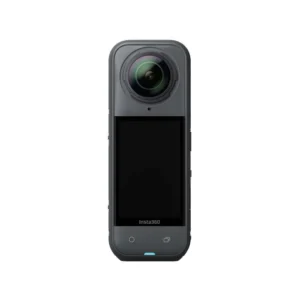
Insta360 X5
Price range: KShs 66,000 through KShs 88,500
In stock
Check the recording mode as well as the resolution. Choose a package around your mount, card and editing workflow; bundle contents vary.
View product & options →Inspect the current Standard Bundle and its selected finish, included-items list and offer. The live model card also covers other packages. This explanation does not claim all advertised resolutions are available in every mode.
See a shot being filmed and reframed
Watch “Insta360 X5: How to Film & Reframe 6 Creative Shots” from Insta360 Tutorials. It illustrates how filming choices and editing choices work together. Use the current app instructions when controls differ from those shown in a recorded tutorial.
Workflow illustration: original NextBuy Journal artwork. Camera image: genuine existing NextBuy library. The manufacturer demonstration is sourced from its tutorial channel and is not a NextBuy test.
Quick answers about 360 resolution
Does 8K 360 mean every reframed view is 8K?
No. The source covers the whole spherical scene. Your chosen view uses part of that scene; a file-size setting alone does not settle its captured detail.
Can the same source make portrait and landscape versions?
Reframing spherical footage lets you choose different views and compositions. Check your editing app’s controls and the format needed for each destination.
Should I send the untouched 360 file to every client?
Agree the delivery format first. A normal flat clip and an interactive spherical file serve different viewing workflows.