
Kindle for PDFs in Kenya: Screen Size, Font Controls and Fixed Pages
A Kindle supporting PDF files does not mean every page can reflow. Check your actual documents before choosing a compact e-reader.

A supported file is not always a comfortable page
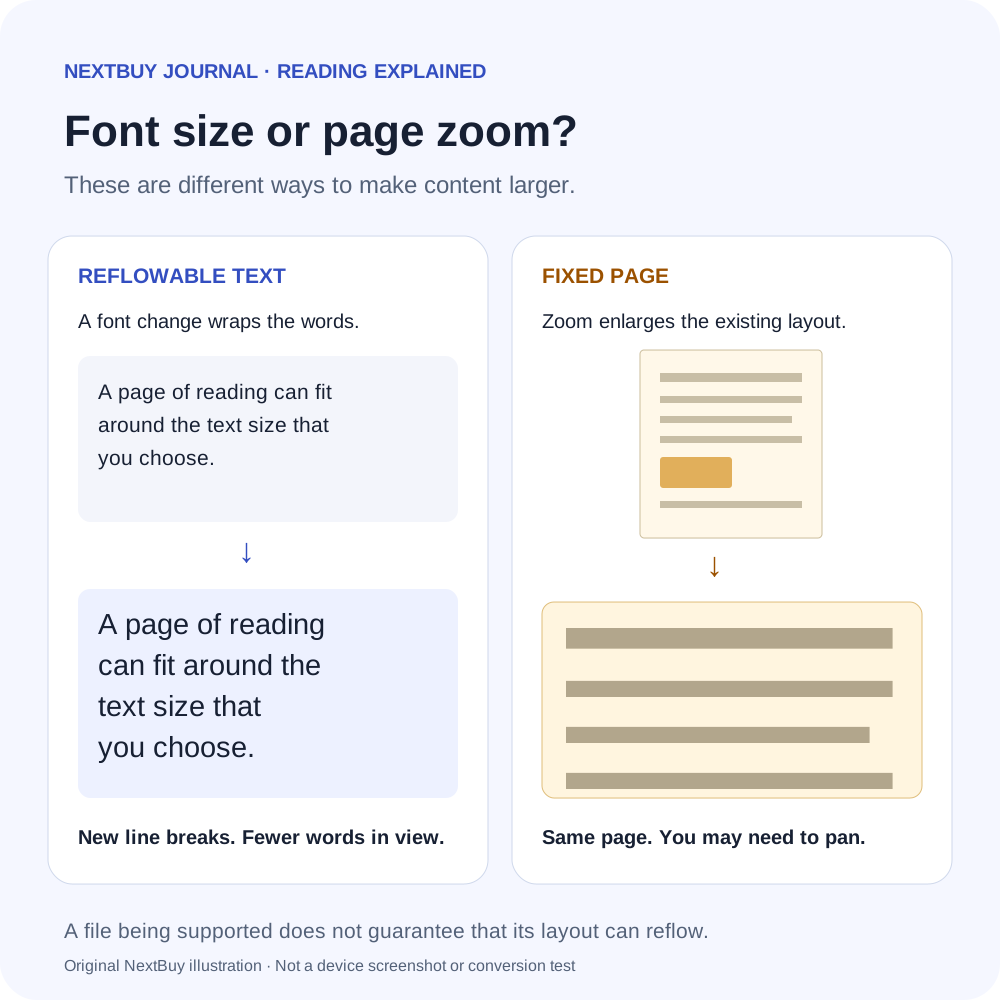
If you mainly read novels, a Kindle can rearrange compatible text around the font size you choose. A fixed-layout PDF behaves more like a printed sheet placed on a smaller screen. Supporting the file extension does not mean every document becomes an adjustable e-book.
Start with a representative file from your actual reading: perhaps a course handout, an illustrated report or a public-domain book. For a Kenyan student or professional, the decision should follow those pages rather than an advertised storage capacity. The Paperwhite example here has a seven-inch, 300ppi monochrome screen; it does not turn an A4 document into a seven-inch page designed for reading.
Separate text size, page zoom and pixel density
In a reflowable book, larger letters cause text to wrap into shorter lines, with fewer words visible at once. In a fixed page, enlarging the whole page can require moving around to see the rest. That difference is about document layout, not just the sharpness of the display.
| Label or control | Useful meaning | What it cannot promise |
|---|---|---|
| 7-inch screen | The physical page area of this Paperwhite | A full-size report displayed at its original printed size |
| 300ppi | Pixel density for rendering text and detail | Larger physical letters in an unchanged full-page PDF |
| 16GB storage | Space for downloaded content, with less usable capacity | Better layout or readability of a difficult scan |
| Book font controls | Adjust compatible reflowable text | Reflow of every imported PDF |
Amazon’s text-display instructions describe font and layout controls for compatible reading content. Use the book’s Aa controls when available. Judge the resulting page at a text size you can comfortably read, rather than shrinking the font to fit a table.
Send to Kindle can help, but conversion has limits
Amazon lists PDF and EPUB among supported Send to Kindle formats. Sending a file and converting its layout are separate outcomes. Its E016 troubleshooting guidance explains that some documents arrive with their original layout because they contain elements that cannot reflow; text size is then not adjustable for that document.
For a report containing tables, equations or carefully positioned captions, compare any converted copy against the original. Check reading order, headings, footnotes and table labels. A conversion that is convenient for a plain-text chapter may be a poor substitute for a page whose position and formatting carry meaning.
Use files you are entitled to read. Do not assume a file from a different bookshop will work solely because it has a familiar extension, or remove access restrictions to make a purchase fit the device.
Try this file-based decision before buying
- Choose three representative pages. Include ordinary prose, your densest table or diagram, and a page with small notes.
- Check the original. Establish whether the text is selectable or the page is a scan. Do not assume the e-reader will repair an unclear source.
- Compare the layouts you can obtain. If a reflowable version is available, inspect it alongside the original rather than trusting conversion alone.
- Assess the physical reading task. On the intended device, can you follow a paragraph and its diagram without constant zooming and panning? A phone preview can reveal conversion errors but cannot reproduce the Kindle’s physical screen.
- Check your annotation needs. This Paperwhite has no pen input. Choosing a reading device does not supply a handwriting workflow.
These are proposed checks for your own files, not tests NextBuy has performed. If most work involves large colour diagrams or multi-column pages that must keep their layout, compare the experience on a larger suitable device before ordering a compact monochrome reader.
Choose the reading workflow, then the offer
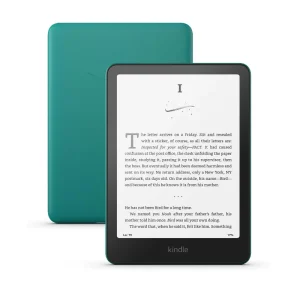
Kindle Paperwhite 12th Gen: 16GB
KShs 27,500
In stock
The reviewed Black 16GB configuration has a seven-inch monochrome 300ppi screen and no stylus support. Exterior finish does not change PDF layout. Inspect this exact configuration; use its selector to confirm the finish or size before ordering.
View product & options →Browse E-Ink Devices after deciding whether your material is mainly reflowable text or fixed pages. Current offers do not include every book, cloud service or accessory.
Questions about PDFs and text
Will more storage make my PDF text bigger?
No. Storage affects how much content you can keep. Physical screen size and the file’s layout affect how a page fits.
Why can I change a book’s font but not a PDF’s?
A reflowable book can wrap its text again. A document delivered in original layout may preserve fixed pages instead; Amazon identifies this as one possible Send to Kindle outcome.
Should I turn on Dark Mode for every PDF?
Try the actual document. Amazon advises disabling Dark Mode or Page Color when a PDF renders poorly, so that it displays in its original format.
Official reading and transfer references
- Kindle font and layout settings
- Send to Kindle conversion errors
- Supported personal-document formats
- Kindle appearance settings and PDF caveat
Image: existing Amazon Paperwhite product photograph. Its displayed sample page is manufacturer artwork, not a PDF conversion or readability test by NextBuy. No suitable official video for this specific file-layout question was identified; the linked current Amazon instructions are the technical references.